Submitted by Deepesh Agarwal on Sat, 01/10/2009 - 05:11
Apple iPhone is a hugely popular gadget but still lacks basic functionality for copy-pasting text, there had been quite a few software upgrades for iPhone but none addressed lack of this basic functionality, However, smart developers at PasteBud have found a nifty trick to use Javascript for adding this must-have functionality on the device, to make it work you need to bookmark two javscripts on your web-browser capable of syncing with iTunes (Safari or Internet Explorer) and then sync your iPhone.
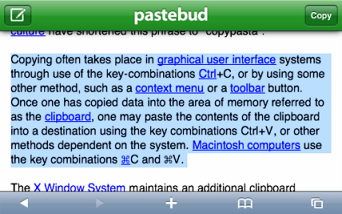
Once these bookmarks get synced on your iPhone you can use them to copy and paste text from emails and webpages on the device.
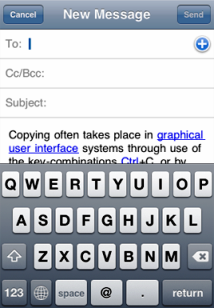

To start using Copy/Paste on iPhone follow the procedure below:
- Visit PasteBud using Internet Explorer or Safari.
- Bookmark Copy and Paste scripts as instructed.
- Sync your browser to your device.
- You can now follow the simple copy paste instructions provided in the video below to use it.
PasteBud Copy & Paste Functionality In Action On iPhone
Comments
newinapple.com
i like the all material which you have added in this site its really helpful and good for every one.
i have also a site named newinapple.com ,
please help me to promote my site and business
http://newinapple.com
Add new comment