Submitted by Deepesh Agarwal on Thu, 08/28/2008 - 14:15
 The most popular CD/DVD writing software - Nero Burning ROM has evolved a lot from being a simple CD/DVD burner application to a full-fledged all-in-one optical media authoring solution, resulting in adding a lot of bloat and lots of other applications and features that you’ll never really use, so if you are looking to get rid of Nero bloatware and looking for a free, fast and simple alternative to Nero - BurnAware Free is your answer, the free CD/DVD/Blu-ray burning application is pretty much similar to Nero and comes in three versions - Free, Home & Professional, the free version allows you to burn data, audio, and video CDs, DVDs, and Blu-ray discs pretty much sufficing everything you’d ever need.
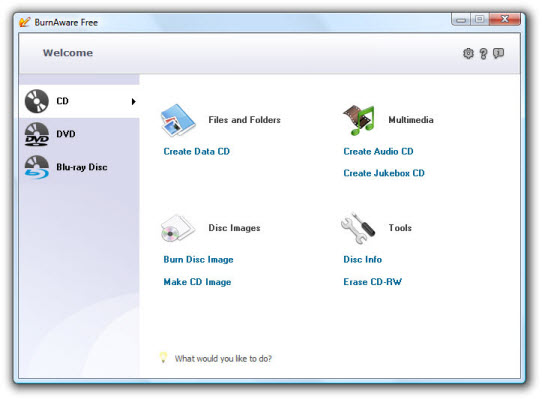
BurnAware Free Version Features
- On-the-fly writing for all image types (no staging to hard drive first)
- Create data and multisession CD/DVD/Blu-ray Discs
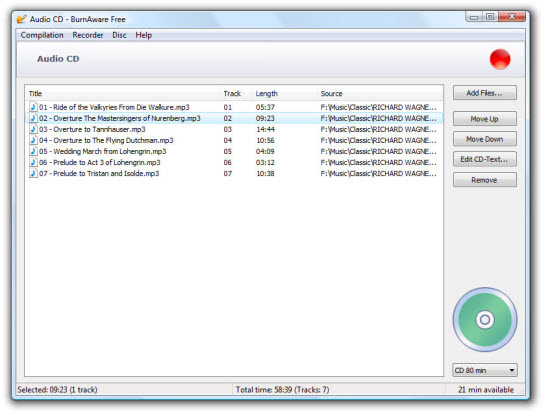
- Create Audio CDs and jukebox CD/DVD/Blu-ray Discs
- Create DVDs-Video
- Create and burn disc images
- Supports all current hardware interfaces (IDE/SCSI/USB/1394/SATA)
- Supports all current hardware interfaces (IDE/SCSI/USB/1394/SATA)
- Supports UDF/ISO9660/Joliet Bridged file systems (any combination)
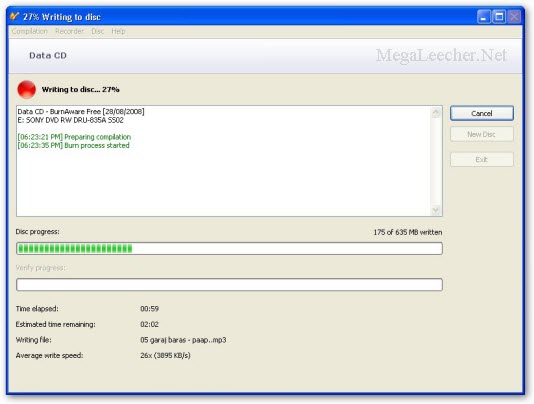
- Auto-verification of written files
- Clean, multilingual, easy to use interface
- Supports Windows NT/2000/XP/Vista (32 and 64 Bit), no drivers required
- 100% Free for home use. No spyware, malware, banners etc.
Comments
A litle down
It has no copy feature. What a pity
It has copy feature.....
You can copy CD/DVD/Blu-ray by first making a disk image and then writing the disk image, using the options provided by BurnAware.
Another option
For that stuff and a copy feature, with a free license key by email, try Ashampoo Burning Studio 6 Free edition. I dont however recommend Studio 2008, unless your wanting a lot of the same "features" (read bloat) as nero now has.
WT...........?
why try? give a freeware
This is free ????
This is not a TRIAL software, its 100% free Pls. choose the FREE version from download page.
I don´t liked because not
I don´t liked because not have option for change speedy record.
Both Burnaware and Ashampoo
Both Burnaware and Ashampoo allow you to change the burn speed. For Burnaware, click the "Set write speed before burning" box under Compilation/Preferences (from the Audio CD screen, for example).
key
fine but i want to how to create the video_ts files ya any one know tell me with which software is help for its
thank u by ragamath
video_ts files
Create video_ts files, DVD Shrink 3.2 is great and free.
license key for burn aware 2.3.5
do u have license key for burn aware 2.3.5?
renewable Licenec key of Advance system care
pls sent me Advance system care renewable Licenec key on sandeep_sa1987@rediffmail.com
DVD burning software
Good review! Here are the 7 best free DVD burning software for Windows.
1. ImgBurn
2. CDBurnerXP
3. InfraRecorder
4. FinalBurner Free Edition
5. Your Free DVD Burner
6. Create-Burn ISO Image
7. StarBurn Free
The Best Things in Life are Free =)
Add new comment