Submitted by Deepesh Agarwal on Fri, 05/22/2009 - 07:44
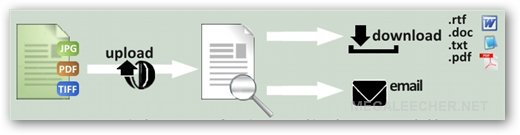
 There are two well-known OCR software available for free namely - SimpleOCR and JOCR but both utilities require user to download and use them from desktop, however there is a better way to get images/documents converted in editable formats using free web-based OCR services, these free services allows users to upload documents in various formats and download editable version in format of their choice.
I tested some of these free online OCR services and here is a list of best ones which will get the job done easily and accurately.
- OCR Terminal - Simple, fast and accurate conversion but limited to only 30 free conversions per account.
- InstantOCR - multi-language OCR with support for more import/export formats then any other free online OCR service reviewed here.
- P2EScan - uses java based uploading.
- OnlineOCR - Fast and simple, use basic text-ocr without registration.
- FreeOCR - fast and simple OCR requiring no registration but can only convert to plain text.
- NewOCR - recognizes multilingual text from a scanned document or photo, handles image files in different formats, can process 29 languages (Bulgarian, Catalan, Czech, Danish, Dutch, English, Finnish, French, German, Greek, Hungarian, Indonesian, Italian, Latvian, Lithuanian, Norwegian, Polish, Portuguese, Romanian, Russian, Serbian, Slovak, Slovene, Spanish, Swedish, Tagalog, Turkish, Ukrainian, Vietnamese) and supports layout analysis, which means that it can interpret multi-column text.
While every service have their pro and cons I found OCR Terminal and InstantOCR most user-friendly, accurate and feature rich.
Comments
Nice Post
Thanks My friend...
Keep it up...
Another option
Hey, great choices but also another option that I found to be very simple and easy to use as well is CVISION's Free OCR .
I actually thought that this one was the easiest to use out of all of them.
I tried OCR Terminal, and the
I tried OCR Terminal, and the results seemed amazing!! It is extremely accurate and the output can be downloaded in 4 different formats. They also provide a desktop client for convenient conversion of many files. Two Thumbs Up!!
a bit of advertising? Do you
a bit of advertising?
Do you know that your confirmation code bugged - I couldn't register neither via url nor with code.
ocrconvert.com
I've found OCR Convert very fast easy to use and free online OCR service, definitely will recommend to have a look at this as well.
In my opinion, all free
In my opinion, all free online OCR services give more or less the same quality. The more the DPI of your image, the higher the quality of recognition.
I myself like i2OCR because it provides a balance between accuracy, performance, and usability.
http://www.sciweavers.org/free-online-ocr
CVISION Technologies
I have tried a bunch of free OCR software as well and in my opinion, CVISION Technologies seems to do the best in terms of accuracy and speed. Not only that, but I was able to try their product for free through the trial version. Here is the download link: http://www.cvisiontech.com/download_main.html
Ricoh Innovations service
I've had great success using the free beta software offered online by Ricoh Innovations. It's completely free and has been highly accurate in my experience.
Useful post
First I want to thank you for the useful post. Your Online OCR List is very good.
To your list I'd only add http://free-online-ocr.com
You can use this Online OCR Service for free without any registrations or accounts.
The user interface is modern and highly user-friendly. The accuracy is high, document layout is also retained. Different output formats are supported: DOC, PDF (searchable), RTF and TXT. I think that Free Online OCR is a good addition to your excellent list.
Best Wishes,
Pete
First I want to thank you for
First I want to thank you for the useful post. Your Online OCR is very usefull
Ocr Software
Hi,
Very helpful and informative post you have here. I was looking for FREE software online and I found you blog.
scanning
Scanning services mostly used for those people who are very busy and don't have a scanner on home or office or in travel. This scanning services will help turn hard copies into electronics images of files, preserve and organize important papers and memories.
Thanks for your suggestions.
Thanks for your suggestions. They are helpful for me. Simple OCR looks cool because it can recognize handwriting. When choosing OCR software, I always think about the recognition accuracy and recognition speed. As I know, Yunmai Technology is also very professional on OCR technology. Yunmai Document Recognition is really great for me. The average time for recognition of a document less than 6 seconds. The recognition accuracy can reach 99%. It can convert documents into PDF, Word, Text format files.
Add new comment