Submitted by Deepesh Agarwal on Fri, 02/06/2009 - 14:37
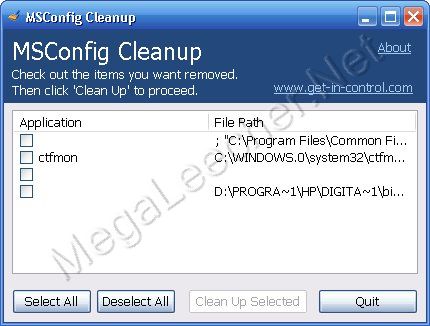
MSConfig (Microsoft System Configuration Utility) is the default startup application management utility for Windows meant for experienced users, the handy utility can be accessed by simply typing "msconfig" (without quotes) into the Run dialog box and hitting enter, once launched experienced computer users can disable unwanted startup programs speeding-up booting process and saving system resources, despite being a very useful utility MSConfig lacks basic feature of completely deleting a entry, if your MSconfig list is big these disabled items takes-up quite some space making management harder, free utility MSConfig Cleanup bridges this functionality gap allowing users to cleanup MSConfig disabled items list selectively with ease.
Comments
There's been a similar
There's been a similar feature(Advanced) in Spybot - Search & Destroy for years now, and it includes information about the process unlike this one.
Ccleaner does the same function with a greater ease.
Ccleaner has this deleting the redundant items too. It's the best. :)
Add new comment