 Windows Desktop icon clutter is one of the most annoying experience every computer user has to face everyday if things are not properly organized, Stardock Fences is an Windows utility to put tabs on this and make desktop icon organization fast and easy, the free utility allows you to create n
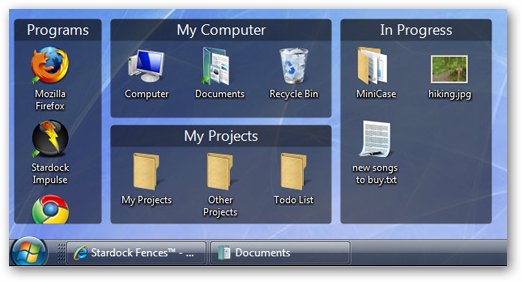
These labeled shaded containers for your desktop icons are movable & resizable, In addition to its organizing capabilities Fences offers another cool quick-hide feature which lets you fade-out (hide) and fade-in (show) desktop icons with a simple double-click, moreover your can choose Fences you want to exclude from quick-hide displaying only icon-group of your choice.
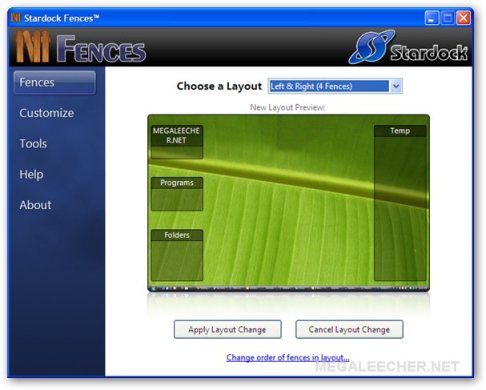
Fences runs silently in background without consuming much resources, there are no visible icons anywhere and Fences management is made accessible via the desktop context menu.
Comments
thx
hi dear..
thx for the info..is nice sofware
thanks!
installed it, freaking awesome software. Thanks a lot.
It is a free beta but claims to keep it, or a more basic version for free in the future when it is stable release.
The software works well, however, it plays a much bigger difference on those with cluttered desktops.
Thanks
nice soft , thanks
thnks
Great solution!
Error
Fences in Windows Vista Premium get Error:
Add new comment