Submitted by Deepesh Agarwal on Thu, 02/26/2009 - 12:57
For some unknown reason one of my PC started acting weirdly taking too much time populating the "My Computer" item list, accessing "My Computer" from any dialog or shortcut took a lot of time displaying the standard Windows searching flashlight.
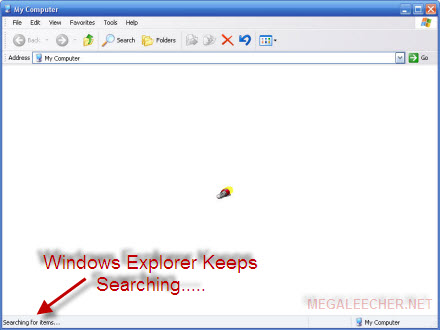
Luckily the fix is pretty easy, just follow the simple procedure described next.
- Click Start and launch Run command.
- Type services.msc and press enter to launch Windows Service Manager.
- Navigate to Windows Image Acquisition (WIA) service, Right-click it and select Stop.
- You should also change WIA service startup mode to Manual, keep in mind when this service is disabled no scanner or camera related functionality will be available.
- Your problem should be solved now.
Comments
message
VERY USEFUL, THANKS...
Really useful!. You can also
Really useful!. You can also try by just disabling 'Automatically search for Network folders and Printers' from Tools-Folder option-View.
Thanks a lot
It worked like charm, gr8 site.
hye
i can't view my hidden files although i've change it's setting to show hidden files
I think i know my problem
hey guys, i've tried this but it hasn't helped.. Not a bit, but then I went to some other forums and saw ppl connecting the delay from my computer with a delay from internet. And I thought back to when the my computer started lagging. I remember once when my word document wouldn't open and I had 2 many browser programs(opera, safari, firefox, IE RC8) and I decided to delete safari and IE RC8. So I went to task manager to see which to delete first. I saw that internet took a lot of RAM so i closed it from task manager. Then my whole screen just went blank, all I see is the background and task manager. It didn't freeze.. But I remembered deleting something else 2 from task manager.. So I restarted the computer from task manager and didn't use my computer that day. The next day my mom went on my computer and it took her like 3 minutes 2 get in and today its the same. Someone plz help? Is that the problem?
I struggled for hours with
I struggled for hours with this issue - MY COMPUTER & WINDOWS EXPLORER were taking 5 minutes to show the drives other than 'C:\" after I performed an XP SP2 repair installation.
Eventually I found that this problem was caused by a corrupt installation of Daemon Tools but even re-installing Daemon did not itself provide the solution. It was only when I actually mounted an image Daemon that, at last, the delay problem disappeared.
I assume there must have been some vestige of a virtual CD drive after the repair installation and some issues associated with this.
try this
Use the following script, as a batch file, to shut down your computer. It is not 100% but 85% of the time the boot up and normal working will be faster than before.
cls
@ECHO **********************************************
@ECHO *** Deleting files in C:\WINDOWS\PREFETCH ***
del C:\WINDOWS\Prefetch\*.* /q
@ECHO **********************************************
@ECHO *** Deleting TEMP files from user's folder ***
del C:\Docume~1\%username%\LocalS~1\Temp\*.* /q /s /f
@ECHO **********************************************
@ECHO *** Deleting Temporary Internet Files ***
del C:\Docume~1\%username%\LocalS~1\Tempor~1\*.* /q /s /f
@ECHO **********************************************
@ECHO *** Deleting Internet History Files ***
del C:\Docume~1\%username%\LocalS~1\Histor~1\*.* /q /s /f
del c:\Windows\temp\*.* /q /s /f
shutdown.exe -s -t 5 -c "Please wait"
Thanks a lot.
Not sure what exactly helped, because I was doing some things at the same time.
But my guess disabling the WIA did it, just needed to reboot before it became in effect.
It was a GREAT pain to work with the AfterEffects and other programs, and need to wait for minute or two until it shows dialog. It was same for office and all programs using common dialogs.
Thank you very much!!!
awesome tip. fixed a long
awesome tip. fixed a long standing issue... kudos to you!
TWEAK IU
I also have the same problem but after trying all that was mentioned.. still it waits for 10-15secs.. i figure it out accidentally when i was playing with tweak IU..
i uncheck A: which was causing the delay in showing up my computer items..
just google it, im not really that smart in computer programs..
heres a download link:
http://windowsxp.mvps.org/tweakui.htm
Solution does not work
START STOP are not available to turn ON/OFF individually nor under ALL TASKS.
I did change the WIA Service Access Modde to MANUAL.
Still as slow as before.
Did not used to work this way.
OS: WINDOWS/XP SP3
PROCESSOR: Pentium 5 1.5 GHz
Service pack3 mall ware
I examined you fix but since I use a camera and a scanner I would not try this. There are however other items that get turned on that you may be able to turn off that may accomplish similar results. Also with if you run "msconfig" and check items running on start up you will probably find items there that can be disabled to speed up your machine. This is especially true with Windows XP sp3 Vienna and things lick rocket dock, Ibercon manager Vienna explorer, transbar, topdesk and Windows Pie dock.
Also Recently i did a clean install of Windows XP sp3 Professional and on another system with XP Home addition we upgraded from spk 2 to sp3 and encountered the same problem "iexplorer" would execute itself over and over. I found this when I went to task manager and found "iexplorer" running 4 or 5 times and eating up all the resources. The solution was to run confix and clean out the Mall ware, but has anyone else run into this problem.
Your solution is short and
Your solution is short and simple but I would like to know if doing this would create some "side effects" on my computer's performance ?
In my case, i had to disable
In my case, i had to disable using TweakUI powertoy for XP "Files Stored on This Computer" in My Computer Icons under My Computer section. Everything else failed, i was getting mad.
Add new comment