Submitted by Deepesh Agarwal on Thu, 05/07/2009 - 05:51
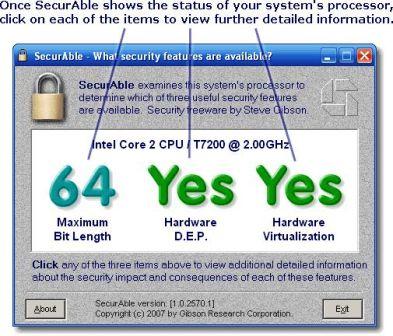
 Windows 7 XP Mode is must for users facing incompatible application problems on the latest operating system, but not all users can benefit from this feature as it requires hardware virtualization support from your CPU, the most easiest way to check whether your CPU supports Hardware Virtualization or not would be free portable utility SecurAble, the simple utility won't bog you down with complicated data displaying only three CPU features with bold graphics including processor bit-length, hardware D.E.P. and hardware virtualization support.
Comments
thanks
thanks
Add new comment