Submitted by Deepesh Agarwal on Sat, 08/30/2008 - 07:15
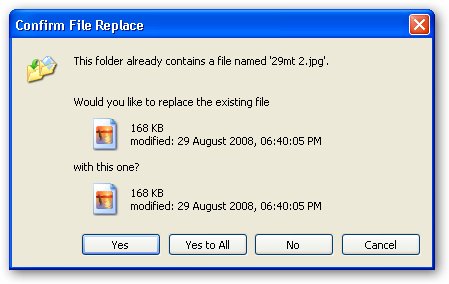
Windows provides an very handy "Yes To All" option to overwrite all files without prompting for each while copying a bunch of files from one location to another, but there exist no "No To All" option allowing copying of only the files that don’t already exist there, you will have to manually press “No” for every file to skip overwriting, However if you Hold SHIFT and click the No button it will act as "No To All" functionality and windows will not overwrite any file and won't bother you asking for each file.
Comments
Awesome
Awesome
great
dats really a wonderful and very much useful tip for windows
omg
u can't imagine how useful that was =) thanks
Str187
Great
What a tip... thats completely Awesome... I have been XP user since years and have always been curious to know how to deal with such issue...
Thanks a trilliion
why doesn't microsoft tell us this
this simple tool is a game changer for those of us who work with large folders on multiple drives. thank you!
that is not enogh
it wont work while copying files inside folders inside folders. if you select overwriting folder, it will not ask for files. if you select no or SHIFT+NO for folder copy, it will not copy at all. you have to keep pressing yes / no all the time. MICROSOFT IS SHIT
awesome...super thanks
awesome...super thanks
Add new comment