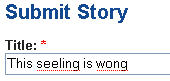
 By default Firefox's in-line spell checker does not work in all text-boxes and forms and you need to right-click and select “Spell check this field” to manually start spell-check, however this behavior can be automatically activated by following the steps provided below.
 By default Firefox's in-line spell checker does not work in all text-boxes and forms and you need to right-click and select “Spell check this field” to manually start spell-check, however this behavior can be automatically activated by following the steps provided below.