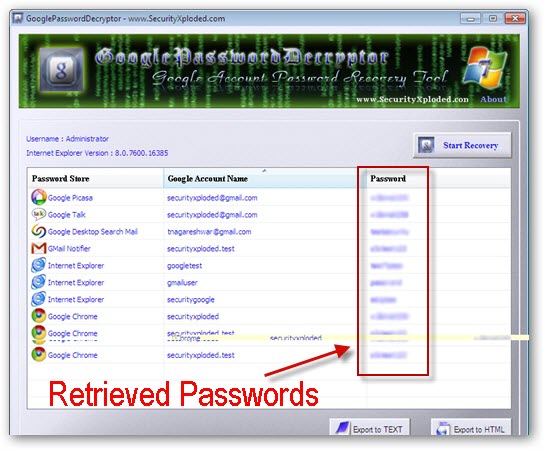
Revealing saved passwords behind asterisks from Web-browsers requires use of a simple javascript bookmarklet, but if you happen to have saved account passwords inside desktop software like Internet Explorer, Google Chrome, Google Talk, Picassa, Google Desktop Search or Gmail Notifier you can now retrieve the saved username/password combination in a single-click using free GooglePasswordDecryptor utility.
Security expert Nagareshwar Talekar's created this awesome utility which takes care of decrypting stored passwords from private encrypted store of these applications allowing users to retrieve saved passwords from multiple accounts with a single-click.