Like This Post, Get Updates By Email:

Enter your email address:

Delivered by : FeedBurner

Acrobat Reader Update

How To Disable Annoying Adobe Auto-Update

Like me, if you are also annoyed with Adobe auto-updater popping up and freezing the application you can completely disable the feature in the latest version of Adobe Acrobat reader 8.1, just follow the steps below to disable Adobe updater:
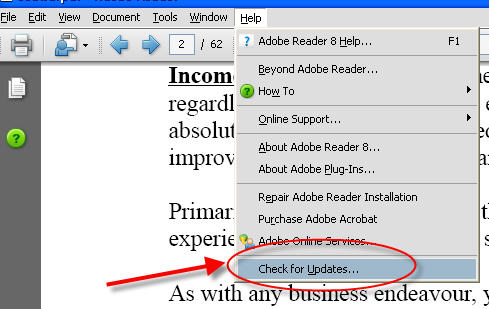
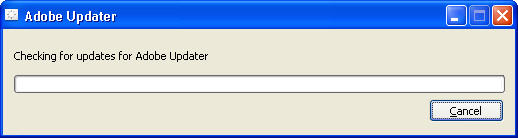
Disable Adobe Updater Step 1


Disable Adobe Updater Step 2


Disable Adobe Updater Step 3


Disable Adobe Updater Step 4

you need to check for updates at least one time in-order to access the Adobe Auto Updater preference dialog box.

Syndicate content

This is just one of the many helpful tips we have posted, You can find more stories here,
Do subscribe to updates using your favorite RSS feed reader or using the secure FeedBurner email update form on top of this post.