Submitted by Deepesh Agarwal on Sat, 06/27/2009 - 14:46
 Apple iPhone Operating System has undergone its third major update but it still lacks many basic functionality like option to delete all contact in your address-book from within the phone, if you are struggling to erase your iPhone contacts list here is an fast and easy single-click solution for deleting all contacts from your iPhone.
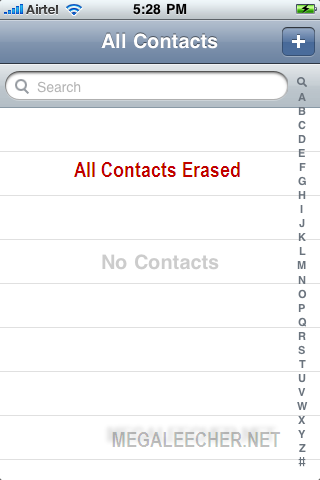
Steps To Completely Erase Your iPhone Address Book :
- You need an jailbroken iPhone with Cydia installed to get this working. (For non-jailbroken devices checkout - http://www.megaleecher.net/Delete_iPhone_Contact_Book )
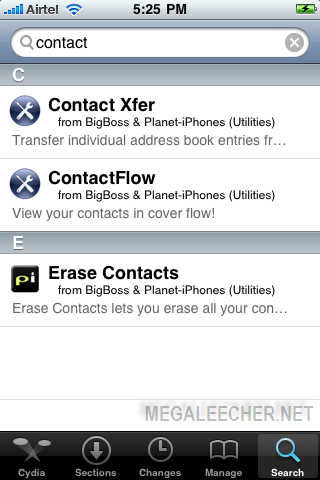
- Launch Cydia and search for free Application Erase Contacts.
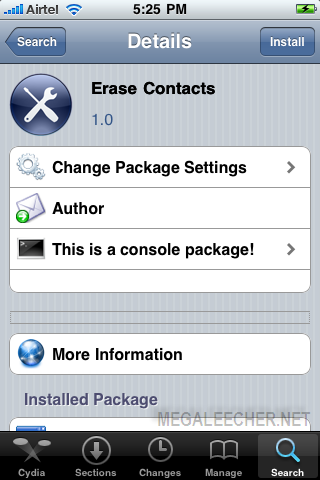
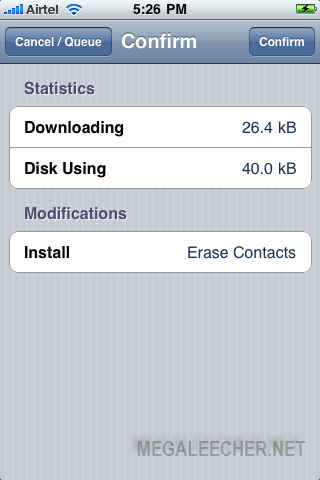
- Install Erase Contacts.
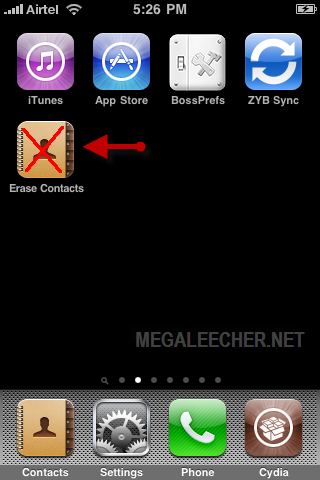
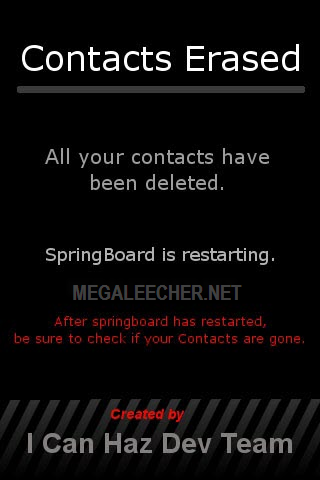
- Launch Erase Contacts from springboard but keep in mind there is no confirmation and launching the application will erase all iPhone contacts straight away without confirming.
- Check your address-book it should be clean.
Comments
You can delete unnecessary
You can delete unnecessary contacts in bulk if you download "Contacts Cleaner" iphone app
Its not free
Thanks for suggestion but "Contacts Cleaner" is an paid app costing $3.99.
Which is more than OK if you
Which is more than OK if you wan to delete a couple of thousands contacts. Good work needs to be rewarded
Nice tips very useful indeed
Nice tips very useful indeed thanks for the share.
I used CopyTrans Contacts. It
I used CopyTrans Contacts. It is not free but the trial version was enough to delete my large address book at once from my iphone.
This works for both jailbroken and non-jailbroken iphones
I followed these directions anf it helped me to delete all my contacts off my iPhone.
erasing contacts
THANK YOU SOOOOOOOOOOOOOOOOO MUCH!! you're a life saver :)
mystique
THANKS
THANKS
THAAAAAAAANK YOU! YOU JUST
THAAAAAAAANK YOU! YOU JUST SAVED ME 100 DAYS OF WORRIES!
THANKS
This app saved my ass! Thank you!
thanks a ton
thanks a ton
Help
I can't find the app in the app store - do they no longer carry it?
THANKKKKKK UUUUU SOOOO
THANKKKKKK UUUUU SOOOO MUUCCCHHHH!!!! 1,115 contacts cannot be erased 1 by 1
Settings - General - Reset
ADMIN NOTE - CAUTION : The option below can be dangerous if you have a jailbroken phone, read here - http://www.megaleecher.net/Erasing_iPhone_Data.
Settings - General - Reset ---> Erase All Content and Settings
This will remove all content (including contacts) from your phone and reset it to factory defaults.
Awesome!
Thanks for sharing this! Just saved me a load of hassle doing it 1 by 1!
How do you delte the app?
It worked alright, but now i can't delete it. and i am trying to figure out how to sync with a specific google group (instead of "all contacts") but in the meantime, now my phone wont even sync at ALL! does this mean that the app is preventing me from syncing?? Please help!
to remove the aplication, you
to remove the aplication, you need to go to Cydia and search again the app, and now where before had a Install botton, then now have a modify boton, push Modify and then remove... thats it!.... good luck...
New iPhone App enables deleting contacts in batch
Now there is an App for this: ContactDel, remove all contacts is just a touch of a button, no sync-ing, no connecting to your computer, as simple as it can be!
Just search ContactDel in App Store, or search NotionInMotion.com
ContactDel provides many ways to delete your contacts in batch on iPhone and iPod Touch. Use ContactDel to save time when cleaning up your address book.
1. Delete All: The easiest way to delete all contacts on your iPhone and iPod Touch, just push the button, the App does the rest.
2. Delete by Name: list your contacts by names, check-mark in batch and delete in batch.
3. Restore: you can restore major information of previous deleted contacts at anytime.
Note: only first name, last name, phone number, address, email can be restored. Contact photo, notes, homepage, and ring tone setting are permanently deleted.
See here for features and screen shots
thnak
thnak aloooooooooooooootttttttttttttttttttttttttttttttt
Sweet!
Thank you! Excellent, simple, instant. Couldn't ask for more!
Brilliant - didn'twant to sit
Brilliant - didn'twant to sit for hours deleting 200 contacts. works perfectly! thank you
Thanks Cydia
Cydia is very helpful
Delete Groups
I used ContactDel on my 3GS and it deleted all my contacts but the Groups are still in my contact list; even after a reboot. any one has any idea? thanks a lot!I've tried to delete with itunes with no success.
o.o
muy bueno hermoano
My all contact why delating automatically
Can u any body help me this is second time my all My all contact why delating automatically why?
THnaks
Thanks a lot for the article...very useful app this one :D
Thanks
You have really solved my problems, thanks a lot.
Very easy way to delete your all contact on your iphone
I just easy way to delete my all contacts of my phone book. There is no need to buy an application. Just download NQ contact sync from apps store for totally free. It helps you backup your all contacts and you can clean your all contacts from your phone by NQ contacts sync in option
Very easy way to delete your all contact on your iphone
Back up all your contacts from outlook. Delete the contacts from outlook. Sync the iphone contacts with outlook using itunes. Rplaces the contents of iphone with outlook contacts
Cool info
Thanks
Add new comment