Submitted by Deepesh Agarwal on Tue, 08/25/2009 - 13:22
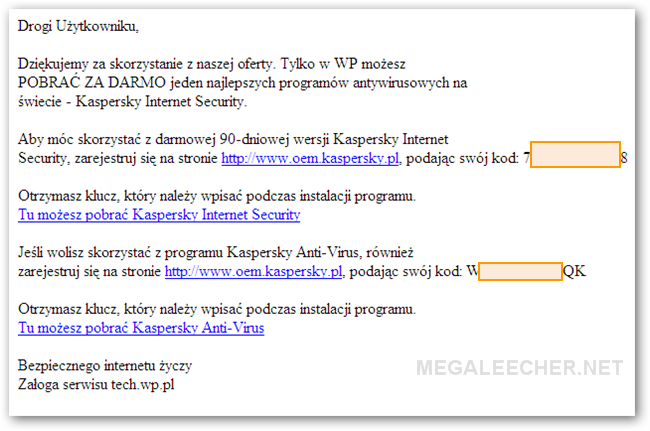
 From time-to-time we get chance to grab free genuine keys for Kaspersky software's under special promotions like - "90 Days License For Kaspersky Internet Security 2009" and "100 Days Free Kaspersky Internet Security 2009 License Key" as shared earlier, now here is another chance to grab 90 days activation code compatible with both KIS 2009 and KIS 2010, simply follow the steps after the jump to get your own Kaspersky Internet security Activation code valid for 90 days.
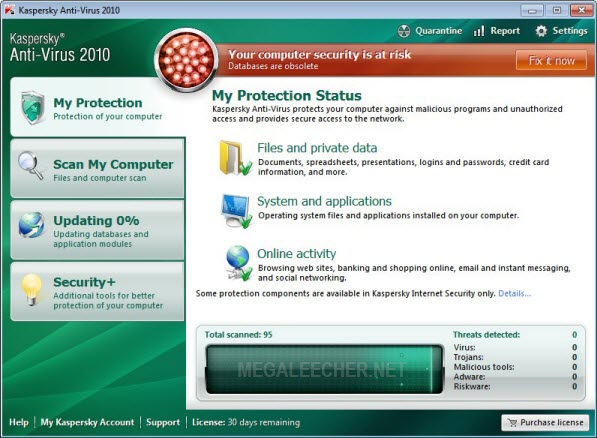
Unlike previous free keys promotions this one needs more work and you must follow the steps carefully to grab your activation key, follow the steps below :
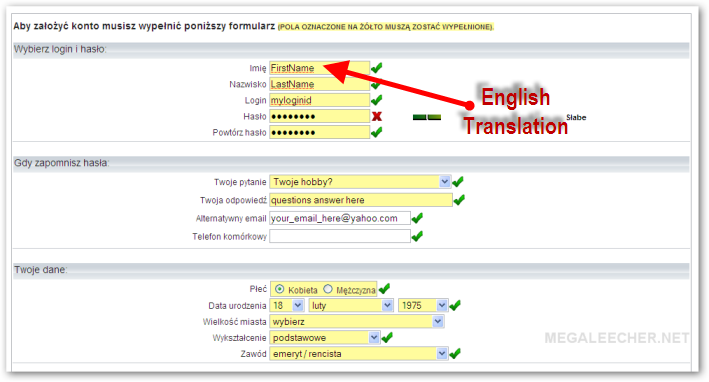
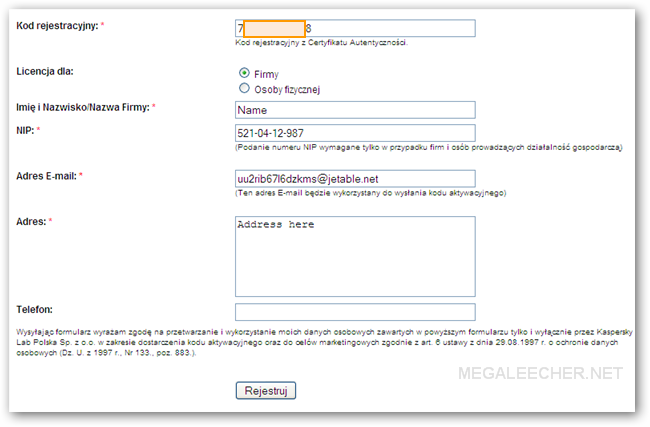
- Click here to launch the promo-registration page and fill in the details as shown in image below.
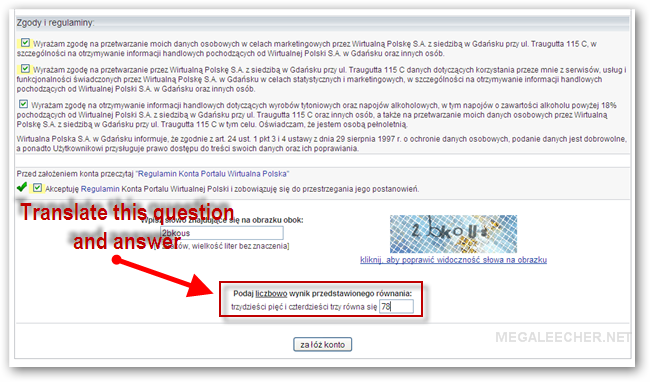
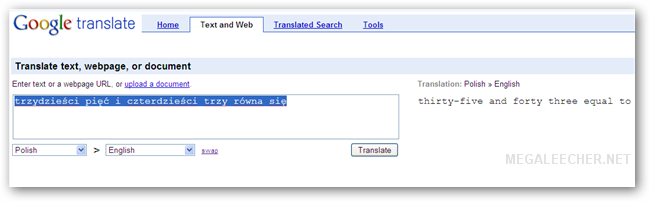
- Scroll down and check all boxes, enter CAPTCHA image verification, now you need to answer a math question but the question is in polish language - use Google Translate to get the question and answer it.
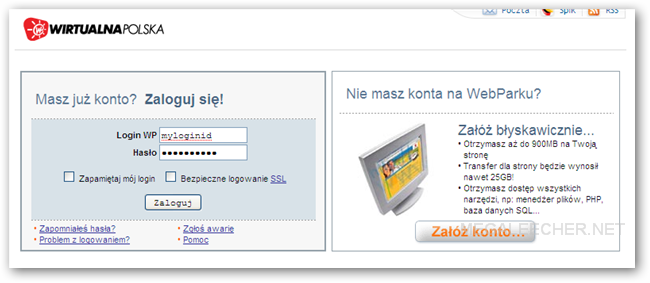
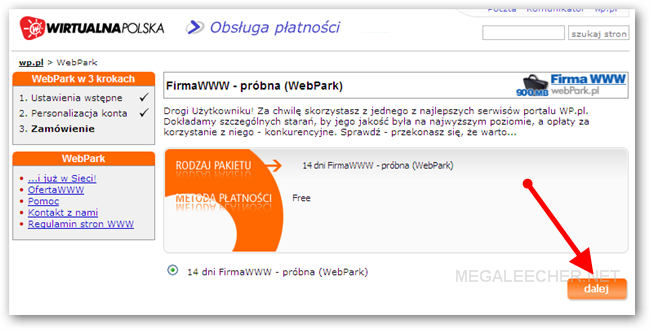
- After successful registration open this page and login with your registered details, click the “Dalej” button to proceed.
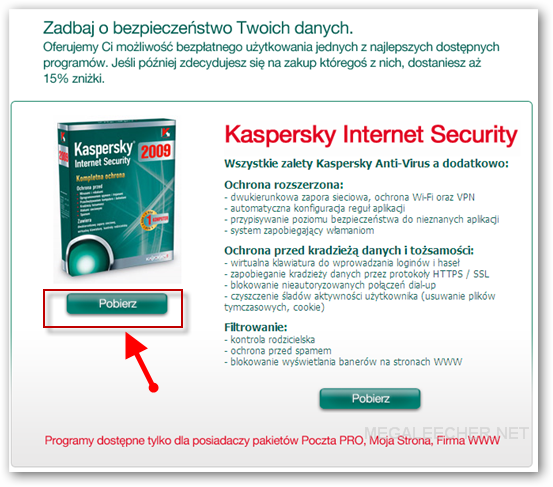
- Now, visit this page and click Pobierz button.
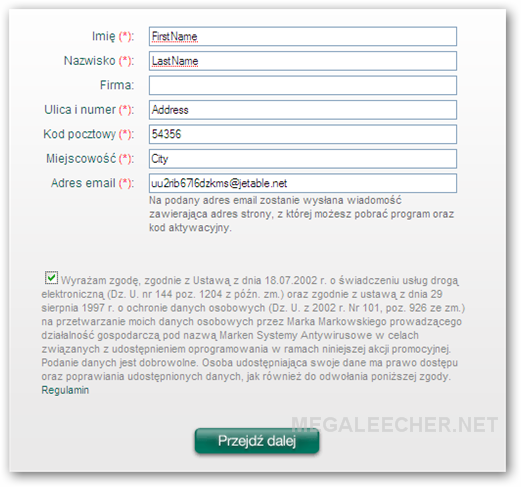
- Now, fill-in the provided form and submit.
- You will now receive Kaspersky Internet security activation code in your email.
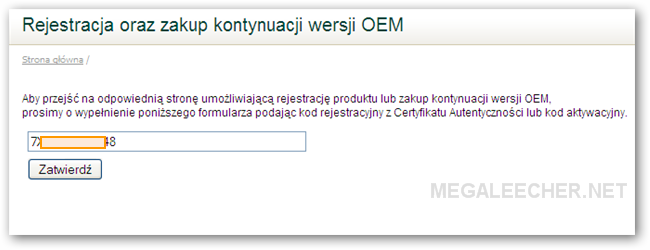
- Goto http://www.oem.kaspersky.pl/ and use the code in your email to proceed, now fill in the form and use 521-04-12-987 in the NIP textbox.
- You will now receive your license code in your email.
- Use it to activate your copy of Kaspersky 2009 or 2010 product for a period of 90 days.
Comments
Excellent write-up. Got the
Excellent write-up. Got the code !
Bring more from the Kaspersky stable.
Mridul
in 6th step m getting this error
Wyst?pi? b??d pobierania kodu promocyjnego. Spróbuj pó?niej.
Translation: Polish » English
dziewi??dziesi?t minus czterdzie?ci cztery równa si?
There was an error downloading the promotional code. Please try again later.
wat to do
Doesn't work for me!
"There was an error downloading the promotional code. Please try again later." error message return on the last step.But thanks!
Not Working!
Doesn't work!I didn't receive Kaspersky Internet security activation code in your email.
didn''t work for me
it's the same but it is for KAS 2009 not KIS 2009
it dosen't work. yst?pi?
it dosen't work.
yst?pi? b??d pobierania kodu promocyjnego. Spróbuj pó?niej.
===========================TRADUCTION====================>
There was an error downloading the promotional code. Please try again later.
Same here. I want to know
Same here. I want to know what should I do.
m getting the error in step
m getting the error in step 5.............Wyst?pi? b??d pobierania kodu promocyjnego. Spróbuj pó?niej.
wat to do??????????
Email add problem
On the 7th step it doesn't accept my email address - even gmail or yahoo. It says "Pola oznaczone czerwonym kolorem s? b??dnie wype?nione." Does anyone know why?
mrhuan1978@yahoo.com ask
what does this pharagraph mean?
Podaj liczbowo wynik przedstawionego równania: d.....#x0107 równa si?
I have the same problem.It
I have the same problem.It can't accepy mail email address ,it always says "Pola oznaczone czerwonym kolorem s? b??dnie wype?nione".
error in 7th step
Action only for u Usuarios small dwell on Polish territory.
¿If they live on Polish territory and you can read this, contact our activity ³ I support (support@kaspersky.pl).
this service only for polska
this service only for polska not for other IP
sorry!!!!
error visiting Kaspersky homepage
i can't follow step 7th. google toolbar says "Oops! This link appears to be broken."
ERROR IN PASSWORD STEP SHOWS X
PASSWORD ID SHOWING SOME DAMN ERROR WHAT TO DO
Thank you
Now i can get the code for both KIS and KAV.
Not working
It is available for Polish territory only. It looks for your ip
First thing- are we trying to fool Kaspersky??
whew!~!!!
STEP 7 ISSUE
It says that you need to be a resident of poland to continue
step 7 email adress
For step 7 it's having a problem with the email address i provided.
It's the email i registered with. or does it have to be the email provided in the instruction image for step seven?
First Step
For step 1 it's having a problem with the hosla, because when summited it shows a dialog box: podane haslo jest nieprawidlowe. Thanks.
From Musa. yahajimusa@gmail.com
First Step
For step 1 it's having a problem with the hosla, because when summited it shows a dialog box: podane haslo jest nieprawidlowe. Thanks.
From Musa. yahajimusa@gmail.com
KAV KIS activation cods
Working fine, but the steps are very annoying.
1. You must use a polish proxy. Then in step 2 there isn't a question and an answer,
only a CAPTCHA.
2. You must make an e-mail registration in ****@wp.pl and fill it in steps 5 and 7.
3. No need of NIP in step 7 if you use "Osoby fizycznej" /person/ instead of
"Firmy" /firm/ and you can grab cods for NIS and NAV.
4. No need to wait for a second e-mail for codes /for KAV it gets immediately, but for KIS not/. Just after confirmation get back to the first e-mail and click the link
provided and fill the first sent cod again in step 7. Confirm and form 2 in step 7
"Kod rejestracyjny" /registration cod/ will show you now the real activation cod. Fill it in your Kaspersky product and activate online. Thats it.
tmt_angel8x@yahoo.com - This email is not accepted ? damn it
Seem Polish only :((
not work
Polish only :((
use ultrasurf
use ultrasurf
Im not using a Polish proxy
Im not using a Polish proxy and was able to activate my KAV 2010 for 90 days. Followed all the steps as above and a lil help from Google Translate. Thanks a lot!!!
kis
no key/activation code sent for kis
Help key KIS 2009
it's the same but it is for KAS 2009 not KIS 2009.
Please send me key KIS 2009
ngocsonpham@yahoo.com
Fake IP, please
Why don't you fake IP to Polish?
I''ve tried it.
Perfect:))
Help for non-polish users
I put below some translations of possible problems for non-polish users:
"Pola oznaczone czerwonym kolorem s? b??dnie wype?nione." = "There are some erros in fields which are marked red."
"Podaj liczbowo wynik przedstawionego równania" = it means that you have to enter here result of simply calculation of equation given in polish words. use google translate "polish->english" to obtain what you need to calculate and enter there. in given above example there are: "trzydzie?ci pi?? i czterdzie?ci trzy równa si?". in polish it means "35 and 43 equal to ..." you have to put there 78 as a proper result of written equation.
"podane haslo jest nieprawidlowe" = "you have entered wrong password"
method given above still works excellent. enjoy !
Regards,
Andrew from Warsaw.
thank you
thank you its work
Result in Step7
This is the message I got after I reached step #7
Akcja przeznaczona tylko dla u?ytkowników zamieszka?ych na terenie Polski.
Je?eli mieszkasz na terenie Polski a widzisz ten tekst, skontaktuj si? z naszym dzia?em pomocy technicznej (support@kaspersky.pl).
Special offer only for members living on Polish territory.
If you live on Polish territory and you can read this, please contact our support team (support@kaspersky.pl).
--------------
This is suk
::((
no way :(
sucess
this work, you guys only nead more lucky!!!
step 7: part 2 having problem
ITS SAYS PLS CONTACT THE KIS TEAM ON POLISH LANGUAGE
activation code
Hello, please help me, i need activation key for kaspersky antivirus 2010 .
Thanks !
costa_on@yahoo.com
Hello, please help me, i need
Hello, please help me, i need activation key for kaspersky antivirus 2010 .
Thanks !
nete_gaby@yahoo.com
no way
no way
NOT WORKING
step 7
is not working properly
"Goto http://www.oem.kaspersky.pl/ and use the code in your email to proceed, now fill in the form and use 521-04-12-987 in the NIP textbox."
i went http://www.oem.kaspersky.pl/ and give a code then hit the button
but it does not redirect to any form
You are Doing a very wonderful service!
It's good to know that there are guys like you who feel the need of others. thumbs up for you, keep doing the good work.
please i'll appreciate if i can get a a pdf sofware that can enable me convert my word documents to pdf files. thanks a million.
Kaspersky Internet Security
Kaspersky Internet Security is one of the best anti-viruses on the market currently, but as far as i know their products are anything but free. Once the promotion is over you will have to buy the license if you still want to keep it, which can be expensive. Is one of the reason why i always try to have an anti virus free download for my computer, as a student is quite difficult for me to pay for expensive software. A 90 days license is not that bad though..
Hi
I like ...
kaspersy
Kaspersky is a nice antivirus like abpremiumpc.It so easy to install.
Add new comment