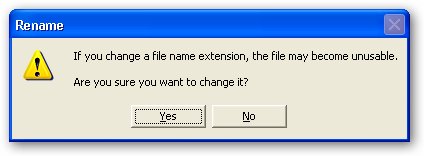
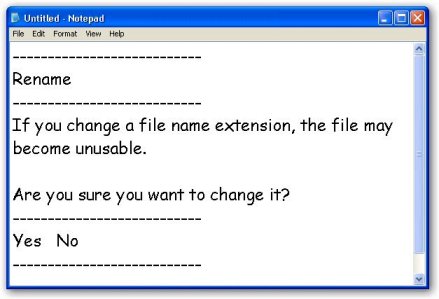
Searching internet is one of the most easiest way to troubleshoot error messages, Microsoft Windows allows you to neatly copy text from any Error/Warning/Information/Confirmation message box to clipboard by simply using the standard copy Ctrl + C key combination on the active message box, the copied text can then be pasted on notepad and can be searched for on internet.
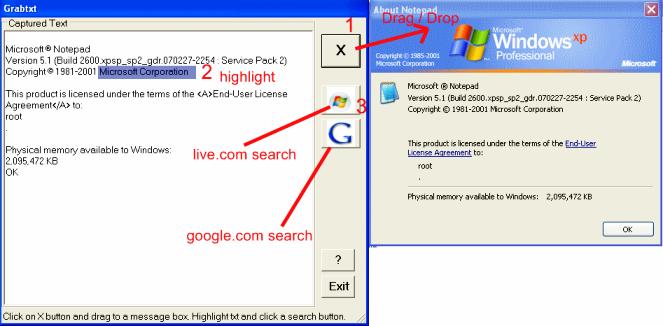
But not all application error dialogs allow users to copy text this easy, this is where GrabTxt comes in, GarbTxt is a free tool to capture text from any window with ease, simply drag the 'X' button to the desired window and the text gets captured, the captured text can then be copied to the clipboard or selected text used to search for details on Google or Live.com with the provided shortcut buttons.
Comments
noname
pressing ctrl + c and pasting is enough
does not work on Vista 64
does not work on Vista 64 bit
Does not work
No Download link found in
http://halmisbah.blogspot.com/2008/07/grabtxt-10.html
thanks_
Hi there, I found your blog via Google while searching and your post looks very interesting to e, thanks.
Add new comment