 While Adobe produces some exceptionally great software products, Adobe Updater is one of the most intrusive annoying piece of software which comes bundled with all Adobe products like Adobe Acrobat Reader and Adobe Creative Suite applications, Adobe Updater launches silently in the background starting the downloads without asking for user permission, adding an hardly noticeable icon in system tray as an notification for the update process running in the background, The resource hogging automatic updater can result in slower system performance and huge ISP bandwidth bills.
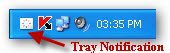
Surprisingly, unlike other softwares Adobe does not provides an easy to find update preference setting to disable these automatic updates and requires you to dig deep into update options as discussed earlier in our "How To Disable Annoying Adobe Auto-Update" blog post using Adobe Acrobat Reader to disable the updater.
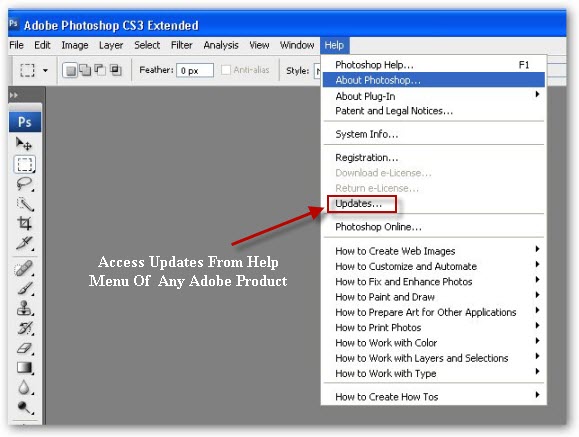
The same method can be used to disable updates for all Adobe products including Adobe Creative Suite applications as shown below.
I have also created a simple windows batch file to completely disable the Adobe Updater by renaming its folder, making it unaccessible to Adobe applications (Download Batch File), Alternatively, you can also use the method prescribed by Adobe to disable the automatic updater on Windows and Macs as discussed here.
Comments
Thanks Worked Perfectly !!
Thanks, tried many solutions but this one worked and solved my problem.
The batchfile link is broken
The batchfile link is broken
Disabling Annoying Adobe Updater
Thanks, but I twisted the solution just a little;
I stubbed the offending dll file within the directory by
first copying its name and appending the extent ".old"
to it, and then giving the name I had copied to
a blank notepad.txt document.
Everything's good now, Thanks !
Turn Off Adobe Updater
ADOBE UPDATER----HOW TO TURN IT OFF.
I have Adobe Reader 9. This is what I did.
1. Open Adobe Reader
2. Click on Edit
3. Click on Preferences
4. Under Categories, look for Updater
5. On the right side, click the radio button that says “DO NOT DOWNLOAD AND INSTALL UPDATES AUTOMATICALLY”.
There are three options, one of which says “Download Automatically” which is probably the default for the program. Easiest way to fix.
Thanks for the update for
Thanks for the update for Adobe Reader 9, what were they thinking with these latest changes?
Add new comment