Submitted by Deepesh Agarwal on Wed, 10/08/2008 - 07:09
 Apple iPod officially does not offer any means to use skins or themes to customize its looks, but with a little bit of tweaking you can get hundreds of different user community created themes on your iPod for a refreshingly new look, and to help make things easier we will be using free iPod skinning utility - "iPodWizard", the simple to use community supported utility lets you install iPod themes on your device with minimal risks without altering its functionality.
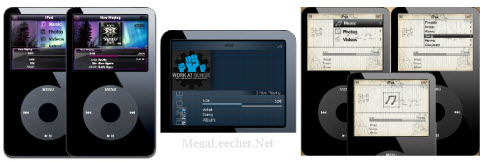
Simply visit the download page here to download iPodWizard and follow the instructions here for details on how to use the software and install themes on supported iPod's.
Please, note that iPodWizard does NOT support the following iPods:
- iPod Shuffle
- iPod Touch
- iPod Classic (6G)
- iPod Nano (2G/3G)
Comments
hi
thanks
This works
Thanks..
Add new comment