Submitted by Deepesh Agarwal on Thu, 06/04/2009 - 05:27
 If you are unable to save files in Microsoft Office 2007 specially when exporting to PDF receiving error "This file is in use by another application or user" the solution is pretty simple and that is to disable your anti-virus and then save the file.
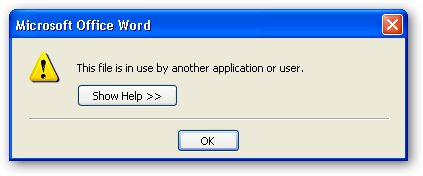
Disabling the anti-virus every time you need to save a file is frustrating, so better add MS-Office applications as trusted in your security software for trouble free operation.
Comments
Indeed a Troublesome Problem
if you ever get this with any other program, or cant delete something, download Unlocker. It came with my OS, and works like a charm. Thank evolution for custom XP installations, lol.
---------------------------------
Fertility Is Hereditary, Chances Are If Your Parents Didn't Have Children Neither Will You
Unlock what ??
Yeah, its a handy utility but what will you unlock in this case as file is not there before save ??
I only meant beyond the
I only meant beyond the application of the program you suggested. In case they have trouble with something else
---------------------------------
Fertility Is Hereditary, Chances Are If Your Parents Didn't Have Children Neither Will You
Add new comment