 In it's simplest definition watchdog is a hardware and/or software timer-register which can used to trigger an system reset or action if something doesn’t works as expected. The watchdog timer performs regular heartbeat checks and if failed performs the pre-defined corrective tasks.
The now hugely popular mini-computer Raspberry Pi features the BCM2835 SoC which has an built-in hardware watchdog timer, this can be used to check tasks like network connectivity, system load, system freeze and other metrics like temperature to perform corrective measures like automatic system reset. Just follow the steps as instructed next to get started with using watchdog timer.
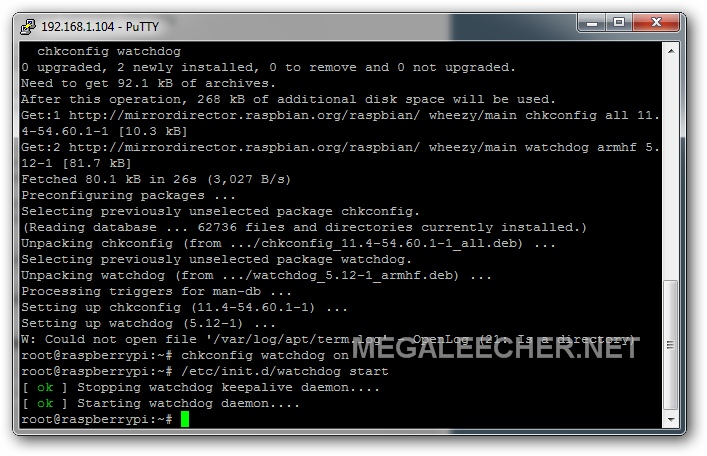
Installing and configuring watchdog on Raspberry Pi :
- Launch Terminal and enter following commands to activate the watchdog.
- Now add bcm2708_wdog to this file and save it.
- Install and setup the watchdog deamon.
- Configure /etc/watchdog.conf as per your requirements by using.
- Make sure watchdog-device = /dev/watchdog line is uncommented.
- Refer to the watchdog.conf manpage - http://linux.die.net/man/5/watchdog.conf for configuration options.
sudo modprobe bcm2708_wdog

sudo nano /etc/modules
sudo apt-get install watchdog chkconfig

chkconfig watchdog on

sudo /etc/init.d/watchdog start
sudo nano /etc/watchdog.conf
NOTE : It is advisable to backup your SD card before trying watchdog timer as your Pi might get into an endless reboot loop if not done properly. Also, the ping feature seems not to work and results in endless reboots on start, one reason could be unavailability of network when watchdog tries the ping and fails which makes the Pi reboot.
Add new comment