Submitted by Deepesh Agarwal on Sun, 09/28/2008 - 10:36
 Yahoo! Messenger 9.0 is now available for download, the software is an advertisement supported IM client and requires advertisements for generating revenue and offer service for free, However, if you don't like flash ads and were using any ad-remover earlier it might not be working now with the latest upgrade, However, today I will be sharing the best free utility to tweak Yahoo Messenger and remove advertisements.
Yahoo Messenger Tweaker would be the best utility to customize Yahoo Messenger settings and remove advertisements.
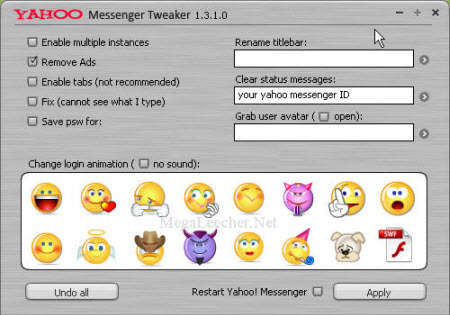
Yahoo Messenger Tweaker Features:
- Yahoo Messenger advertisement removal.
- Tweak to enable use of multiple Yahoo ID's in different windows on same computer at same time (Polygamy).
- Tweak to enable Tabbed chat windows.
- Change Yahoo Messenger Title.
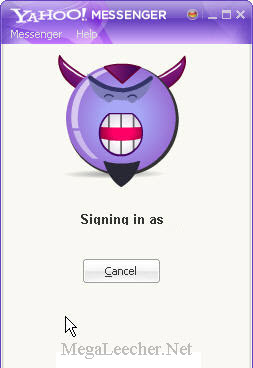
- Customize login flash animation to your choice.
Download Yahoo Tweaker [2.90 MB] >>
Also, Try A-Patch if looking for Ad-removal for Windows Live Messenger, MSN Messenger and earlier version of YIM.
Comments
Enable Tab Option is not functioning
1. Enable Tab option is not Functioning, try to give out the Short cut key as in
Vista Messenger.
2. Not Able to Enter any chat rooms. it says getting room list & stands there, never gets in to chat room list.
Reinstalled the Yahoo messenger to enter in to chat room.
Try to fix the problem.
Thnx
??
not working, I still have advertisements on my contact list...
Not working at all.
Not working at all.
Some Working
Remove Ads..Not Working
Enable Multiple Intances ..Working
Change Animation login..Working
Rename Title Bar .... Working
others ...Try Not yet
YM ADS required to go to chatroom
if u remove the ads, you wont be able to get into any yahoo chatroom.
WORKING
works perfectly on Yahoo Messenger 8 and Yahoo Messenger 9 first version(partly on other versions).
not working on v9.0.0.2162
ads still there
password
what do you do with the password after youve saved it?
Add new comment