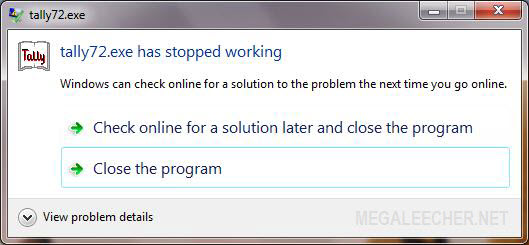
Custom and legacy software application compatibility has always been an issue with newer operating system platforms, and if this is the reason stopping you from upgrading to the latest operating-system technology all new Microsoft Windows Virtual XP Mode is now here for rescue, the XP virtulization technology integrates seamlessly with host system offering a streamlined experience with full backward application compatibility, to check the new Virtual XP Mode in Windows 7 I tested it using popular accounting software Tally 7.2 which is incompatible with Windows Vista and Windows 7, launching the application on Windows 7 throws the error as shown below.
Setting up Virtual XP Mode and making applications work with it is quite easy and simply requires users to install applications on guest operating system, you can follow the easy to setup guide ahead to make non-compatible applications work in Windows 7 using Virtual XP Mode.
 Custom and legacy software application compatibility has always been an issue with newer operating system platforms, and if this is the reason stopping you from upgrading to the latest operating-system technology all new