 Imagine the security nightmare if general users are able to bypass your operating system security and logon as Administrator or root account having all privileges by simply inserting an floppy or CD, now this scary situation is possible using a prototype software KON-BOOT which hacks into Windows and linux kernel on the fly while booting, the novice friendly softwares allows users to bypass logon passwords completely by simply booting via the KON-BOOT CD or Floppy disk, in its current incarnation the software has been tested to bypass logon passwords on Windows 7, Windows Vista, Windows XP, Windows Server 2003/2008, Gentoo, Ubuntu, Debian and Fedora.
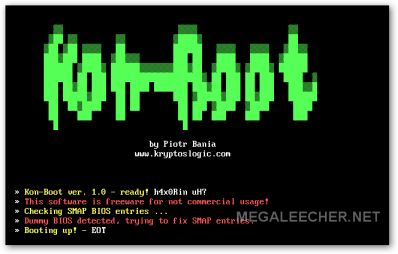
Just follow the simple steps ahead to create KON-BOOT bootable CD or Floppy and bypass logon passwords easily.
- Download the KON-BOOT bootable CD or Floppy (password - kon-boot) image, If your anti-virus software complaints disable it for a while.
- Burn the disk images to suitable media and configure BIOS to boot from the media first.
Here is an video demonstration of the whole process using Windows XP SP3:
Comments
thx
thx for the bypass :)
-wakkawalla
does it really work? o.O
does it really work? o.O
Really people a bit of advice
Really people a bit of advice don't download software that installs itself while your computer boots, granted the software may work but at the cost of the creators of the program having full adminstrative acess to your computer so if you feel like trashing your computer go ahead turn off your antivirus while your at it just to make sure all your personal information is indeed unsafe and have fun :P
Ummm why would you be
Ummm why would you be cracking your own computer?
Reply to ummmm
If you forgot the password like me cause you haven't used the computer in a while and you wish to fix it.
Help please
I have not used my computer in a long time and I can not remember my darn password for anything so if you have ant advice please help thanks
Some people are stupid.
Some people are stupid. Instead of downloading some lame software write it your self or just plug you darn hard drive into a another computer, grab what you want and need, reinstall the damn machine and voila. Sometimes is better the traditional way, an hour depending on if you can read or need an extra person to help you :P
Clearly if you do not understand how such a program could be created you shouldn't be playing HaxXxor and playing with software which you do not know anything about.
Funny thing that it says KON which even could mean it's a trixter program and if you download it and disable your antivirus he got you real good :)
suggestion
Don't try to be oversmart. Try to understand the program. If u really need, use it other wise don't give suggestion.
Yea try that when you want to
Yea try that when you want to Factory reinstall your HD but cant due to Win7 requiring you to enter a password just to factory install it when you totally forgot the password.
Thanks DELL.
First off, placing the hard
First off, placing the hard drive in another computer will do nothing to help with a forgotten password, all the info is stored on the hard drive, including accounts and passwords. Secondly, Kon is derived from the name of an anime character from an anime called Bleach.
James
Really a dangerous thing!!!
but i like it...
Dangerous? no... you have to
Dangerous? no... you have to access to the computer localy.
It still works
This technique is still working until now. I will use this just in case I forgot my password. Thanks!
infected?
Hey, my Kaspersky just report that the CD image is infected by virus...
Obivious....
C'mmon its preety obvious as this alters booting, its also mentioned in post above to disable your AV if it complains, I have tested this and its preety safe.
False Positive
Kaspersky is an amazing antivirus program (I use it) but when it detects it as a virus its a false positive. I have used Kon-Boot and it is virus free and other users have reported Kapsersky detecting it as a false positive.
Test
Making sure comments here aren't fake :)
no infection
there is aboulty no virus in the download i have just ran my avg 2011 on it and there is no virus ok i hop that will stop people saying about a virus. oh by the way my avg is the ful version
What to change on the boot
What to change on the boot options to bypass the login password
papaya
papaya
not working on my new acer
not working on my new acer aspire 6935g
good to know :D
It will bypass your logon
It will bypass your logon password but your system will be affected by Win32 viruses.
no good on xp pro
not working for xp pro. beeps twice and goes to windows
well with xp computers -
well with xp computers - theres another fatal password flaw using cmd... netstat user
algerian-h@cker
you have first to extract thee zip file, burn the iso file as CD iso image not as CD data, then change the primary boot drive from your hard disk to your CD or DVD player.
pretty easy.
for more questions => gigabble.blogspot.com
done that, but the only
done that, but the only thing I get when I boot of the burned disc is the menu for a full millisecond, than black and nothing. I was curious if it could bypass my fingerprint security. but if it doesn't boot I think I'm save :P I'm using vista home pro x86
dies not work. Getting a
dies not work. Getting a "ERRR" on top left of screen at windows boot.
I really love this
I really love this software....
Fantastic....work
Kon Boot
Ooh its raelly miracle. i am veryyyyyyyyyy happy for this soft,
Help please
How to make bootable cd/floppy. I tried, but could not do it. Can you send me detail step by step.
Thanks
Manoj kumar
info.manojkumar@gmail.com
What did you get?
I know you posted this a long time ago, but I havn't been able to get any other instructions. Did anyone send you anything and if they did could you pass it on to me? Thank you so much!
Joel
seeing as most people who
seeing as most people who know enough to know about something like this use something different rather then a password for windows, it makes it only useful if you forgot your pass and you are a low to mid level pc user. I personally have a voice verification program on mine, but its more for fun then anything else, all my room mates have their own computers lol, and I keep important data in locked files anyhow.
Wow
It worked quite well. How impressive. I could even log out and it would skip me having to put in the password to re-login.
hmm
anyone managed to get this onto an usb drive?
Maybe
I dunno...
Maybe I can give it a try...
they did USB, Windows7 boot needed code
youtube search: hak5 Kon-boot usb
fast-forward to a 1/2 inch or so from the halfway point of video, because they talk for a long, long time.
somewhere in that video or their web page it says windows7 by defualt wont run for the Kon-Boot because windows7 is not 1st in boot order. So, it takes a little code and, Bham!
But haven't tried yet, just now getting back to search again and stopped here for a look-see.
Do you know Nixiepixel?
vista is different to change the boot
you need to push space to make the disc the only thing that it loads on.
its a nice program, but you
its a nice program, but you must always bring your cd to hack a pc.
it would be much stealthier if the program is in the USB. but i think not all pc supports bootable USB.
thanks very much for this. there's a way to open a protected pc.
more power to this site...........
how do you open the files for a floppy disk?
i downloaded the floopy disk version and downloaded it and extracted it.
now what? i cant open that file with winrar,magic iso,power iso?
how do i write it onto a floppy?
Writing Floppy Image
Try WinImage for writing floppy image to a floppy.
tried on Windows 7 RC1 7100 Build Ultimate
tried on my virtual image, it keep reset the window on it's own when Kon-boot is inserted
Same
Samething happens here, works fine until it gets to Windows loading, and then it keeps restarts, anyone know how to fix? Ive got Windows 7 Ultimate.
Thanks
thanx
Its very useful for hackers.......
error in extended memory
i use kon-boot it works well but the problem is he look for extendend memory 7MB can you help me with this problem....plss
Awsome
Thats a totaly awsome stuff man. I think ill be a member of this website. U guyz rock!
I am able to use this
I am able to use this through USB too.. Too good software .. thnx a lot..
USB
it is great if I can use it via my usb. thx guys
how do u use this through USB
can u plzz tell how to use it through USB
i burn it on USB using unetbootin-windows-323 but able to boot from USB
have to know username.
To use this do you first need to know the admin login name?
If this is the case is there a way to find out.
I found lots of interesting
I found lots of interesting information here. The post was professionally written and I feel like the author has extensive knowledge in the subject. Keep it that way.
HOW TO DOWNLOAD??
how can i download the file im a newbie here and dont see a link please help
okay found the link
okay found the link lol.
burned.
nice
nice
wahnsinn echt klasse
.img Datei kann mit dem Programm rawwrite auf Diskette kopiert werden. Das bekommt ihr zB bei heise.de.
Gah parental controls
The only thing is if you arnt the admin, you cant open the .exe for writing the .iso to the disk, and parental controls make it even harder to burn it. is there any way to get by the admin or parental controls on win 7? i need help.
not working
not working on xp pro sp2
Does not work - Funkioniert nicht
It does not work (with bootloader)in my DUAL-BOOT System (Win XP + Windows 7 RC).
After it starts the screen is back, CD and floppy tested!!
Does not work
It does not work (with bootloader)in my DUAL-BOOT System (Win XP + Windows 7 RC).
After it starts the screen is back, CD and floppy tested!!
HAH
of course that it is infected
Idiots
You guys are all f***ing idiots!!!! IF YOU DO ANY OF THIS ON ANYONE ELSES COMPUTER WITHOUT PERMISSION IT IS ILLEGAL!!!!!!!!!!!!!
Nice onee...
Idiots hmm,, I think I should give you bout 30 Trojans nd maybe a R.A.T virus which of course I could completely destroy your computer nd I have I'll just send it using your ip nd a swift email ;) mr clever !
LOL
LOL
Freak
freak calling us idiots what the f**k his he doing on this page by the way ,i think your also included ------------- IDIOT ... lol
Woot!!
CD Boot worked on
- Vista home edition &
- XP Professional SP3
not working iso file
Hello
I downloaded the CD-konboot-v1.1-2in1.zip but iso image is not opening in magiciso even i burned a iso in dvd but not showing anything in dvd as well.. please help me
Anyone who runs this is a fool
it is a virus that will infect your system.
use Ultimate Boot CD instead, it has no viruses on it and has programs to get into a locked system. Heck it even boots a Windows XP CD based Windows PE system or Linux CD Boot to access the Windows and Linux hard drive without needing a password.
Ultimate Boot CD
doest this work on win server 2003
whoa awesomes
about to download thanks
you know this will be patched soon right?? seeing as its open source theyll know exactly how you're exploiting the system... although its unlikely MS will update the kernel at this late stage of W7 dev, with the release almost here....
try this
If you forget the administrator’s password but still can log on Windows with other user names that have administrative privileges, you may follow the instructions below:
Right click the computer icon on your desktop, select Manage, find Local Users and Groups, unfold Users folder, right click Administrator, click Set password… in the menu comes up. Click Proceed in the dialog, in the pop-up, enter a New Password and confirm it. Your administrator’s password is successfully reset.
Guest account may help to log onto Windows, but it has no privilege for you to do the above to reset the administrator’s password.
If you forgot all user passwords and failed to log onto Windows, there is no other way but to format the OS and reinstall Windows, or resort to sort of software tools to remove the password and log onto Windows. These programs cost some bucks, but are worthy and better than to reinstall the OS causing consequences. The most popular programs are Windows Password Reset 6.0 etc. Generally, these programs are easy to use though turn out to be a scary command prompt to newbie. But do relax and you can fully manipulate. Let’s take Windows Password Reset 6.0 for example. You prepare a blank CD, burn the program onto the CD, boot the locked computer from the CD, come to initiate the program, locate the user name, and proceed to remove its password – all are at ease.
Axoloth
Ophcrack is the best solution ;)
OPH = Fail
OPH does not work for windows 7 :(
I tried using the vista version too lol but still failed
Windows 7 - Fail :[
Okay, I downloaded, and burned the ISO to a cd, set my bio's to start from cd. inserted the cd booted up the computer, let everythin run, it gets to the regular login screen i click the arrow to login without a password, and it says i need a password/incorrect password. Im guessing this does not work for windows 7 then.
If you wold like a video for proof, I will make one just IM/message me
UNETBOOTIN
use unetbootin, it works....
not work
it's not work for my windows 7 and vista. but for all xp. it worked.
annoymous2
not working for vista guess its another fail 4 trying to hack into my admins vista account
what would u feel like if u got hacked??
Look guys what would u feel like if u were hacked? and its also ILLEGAL! fine ur choice whether go behind bars or just obey the law....if u r just interested in hacking then ur just a MF Nerd who just stays in front of the screen. Theres better things 2 do instead of hacking whats the f***in point for hacking anyway? 2 get passwords etc?? Think about the victim there just innocent.What would u feel like if u were the victim?Ur choice either 2 go behind bars or just obey the law. just dont do it.
Tool
you f***ing tool, most of the people who use this are either using it for important recovery, or using it as a gag on a friend
Lol, you hopeless little
Lol, you hopeless little shit...
People like you should be hacked to death.
You dont know anything at all.
Children, children.
Regardless of the uses of this program, it does not desereve to be fought about. Yes it is illegal and yes it is wrong in some cases, but people know the concequences so get over it.. I'm only replying to this to state that there is no point in fighting over the internet.
Better things to do than
Better things to do than flame people on a website you were searching for! Get a life
it din't work for me on
it din't work for me on windows 7 can u help me out ?
Only Works on 32 Bit Operating Systems
You should edit this to inform your readers that Kon-Boot will only work with 32-bit operating systems. It was designed around the 32-bit architecture, so anyone with an x64 OS won't have any luck with Kon-Boot.
It not working , Does all
It not working , Does all like it said but the pass is not cracked , not working :(
Thank You! for a great tool.
I was able to use it fine with Windows 7 32bit to gain access on a laptop I was doing work on. As an IT, I always like finding useful tools that will make work much easier and faster during extreme busy days. This will cut off time trying to figure out a password, cracking one or even tracking the user down just so you can fix their system if they forgotten to leave it with you in the first place.
can this be done using usb?
Can I use this on from a USB drive? My laptop doesn't have a CD-ROM drive.
Question?
So does this ONLY change the startup when it's in the drive? E.g. I don't want to do anything else, just once. Will it change anything else? or will everything go back to normal once you've hacked past the password?
?
Will this change anything permanently or is it only bypassing the logon when you have the CD in the drive?
?
I have windows 7 and it doesn't work. HELP ME!!!
hrmph
I don't want to change or alter the current password on Vista. I just want to bypass it so that I have access to the computer. I gave a friend my old laptop and did not get EVERYTHING I had on it off. She won't let me on. Tells me I'm so smart to bypass or figure out her password. I've spent four weeks trying to figure out her password, haven't cracked it yet. And there are some hidden files that I didn't get off before she took over the computer. I REALLY NEED THOSE FILES! PLEASE HELP!!
End goal:
Get access to get what I need. I don't want her knowing I was even on it.
More free windows password
More free windows password recovery methods.
Is there any other place
Is there any other place where to downlod Kon Boot, because the site is blocked here in the uae.
Thank you
It worked!
Worked like a charm! Thank you so much!
this is good program i have
this is good program i have tried other one but this one is very easy to use and i tried on vista it is work perfect and fast thank you
+
i forget, i used nero 9 to burn, and the 1st boot device is the dvd rom i didn't know what i makes bad (anyway the windows says the cd is empty, this is my fault?)
Help please
Hi all!
I try to make it work. i downloaded, and burn the iso to a cd. put the cd into the drive. start the pc, but nothing happens, if it works for somebody pls contact me on msn or in e-mail pls.
kanduur_patrik-@-citromail.hu
++
hell my email is @hotmail.com not citromail.hu omg XD
Works in Windows 7!!
I didn't think this was gonna work but I was out of options. The damn thing works like a charm, Used it in Windows 7 32-bit. Thanks to the creator
I'm using Windows 7 and I get
I'm using Windows 7 and I get the Kryptos Logic security software page and I hit enter. And then the Kon-boot page pops up (like in the video). But then I get a quick blue screen and my computer reboots. It does this twice before windows gets pissed off and asks to restore. Not sure whats what to do??? I have tried this program and many others (cain, ophcrack, SAMinside) with no success. I have done my research and I have SAM, SECURITY, SYSTEM for the particular computer I am trying to hack on my USB drive. Any suggestions?
Worked perfectly for my 32bit
Worked perfectly for my 32bit Vista laptop. Excellent little tool.
Could not get it to work on
Could not get it to work on Windows 7. It runs the Kon-Boot logo, and then Kon-Boot startup, right to password page, and nothing works to get through.
ur system does not seems
ur system does not seems right
no luck with win7 32 or 64 bit
the program boots up and runs fine but during the windows GUI boot it cuts to a quick blue screen and reboots the computer...any suggestions?
This is a really well made
This is a really well made program...
However what if there was a password on boot? like the bios pwd?
Y???
IT DOESNT WORK FOR WINDOWS SEVEN!!!!
GOOD SOFTWARE
Great work, Works fine on windows 7, also works great on windows vista home premium.
Worked great and got me in after lost password.
with thanks.
doesn't work on win 7 x64 bit
doesn't work on win 7 x64 bit :'( any suggestions?
it really work
windows 7 32 bit home premium really work. tks good
but not working on xp sp2 and windows vista home premium.
Thanks for sharing
thanks dear for sharing this great information with us.
now i can get that pc
now i can get that pc unlocked....
ironery
i cant get this cause the AV blocks it and the only way to turn the AV off i have to be an admin
I have tried it for
I have tried it for windows7(32 bit). when booting it shows 'grub>' in command mode. I don't know what should do then. Can u help me?
Kon Boot gets me in to the OS
Kon Boot gets me in to the OS but I cant reset the password once im in, it keeps saying current password in incorrect.. How can I reset once Im in?
Just Checkin this out
Just Checkin this out
Doesn't work
This won't boot up on my system. I don't know why. My regular os is windows 7 x32, but that shouldn't even matter...
64but Fail
Was praying this thing would would as I have awesomely locked myself out of my compter by changing approved log on times to "none". Anyway, Windows 7, 64bit, One user account not named Administrator, but the only admin account on the box - this does not work unfortunatly. Thanks anyway
I changed the boot up to CD
I changed the boot up to CD first, but when I load the CD and let the OS start up, my screen just turns blank(black but nothing). I made 2 copies of the iso image, but same thing.
Nice Software
Its working and bypassing login window on XP
Help, please?
Okay, so my girlfriend has a laptop that the power cord was cut about 7 months ago. Now that we have the power cord fixed and the laptop is up and running she can't remember her password. There is one other account on the computer, but it is extremely restricted. Also, I cannot find the file to download the Kon-Boot system. Please help, it's a $5000 machine and she is leaving for Germany in a few days.
whoa!
cool dude!
If I have Multiple Operating
If I have Multiple Operating Systems, then can I still do it?
Not-Virus
VIRUSTOTAL.COM :
Antivirus Version Last Update Result
AhnLab-V3 2010.08.15.00 2010.08.14 -
AntiVir 8.2.4.34 2010.08.13 -
Antiy-AVL 2.0.3.7 2010.08.11 -
Authentium 5.2.0.5 2010.08.13 -
Avast 4.8.1351.0 2010.08.14 -
Avast5 5.0.332.0 2010.08.14 -
AVG 9.0.0.851 2010.08.14 -
BitDefender 7.2 2010.08.14 -
CAT-QuickHeal 11.00 2010.08.14 -
ClamAV 0.96.0.3-git 2010.08.14 -
Comodo 5738 2010.08.14 -
DrWeb 5.0.2.03300 2010.08.14 -
Emsisoft 5.0.0.37 2010.08.14 Riskware.Hacktool.KonBoot!IK
eSafe 7.0.17.0 2010.08.12 -
eTrust-Vet 36.1.7790 2010.08.13 -
F-Prot 4.6.1.107 2010.08.13 -
F-Secure 9.0.15370.0 2010.08.14 -
Fortinet 4.1.143.0 2010.08.14 -
GData 21 2010.08.14 -
Ikarus T3.1.1.88.0 2010.08.14 not-a-virus:Hacktool.KonBoot
Jiangmin 13.0.900 2010.08.14 -
Kaspersky 7.0.0.125 2010.08.14 not-a-virus:PSWTool.Boot.KonBoot.a
McAfee 5.400.0.1158 2010.08.14 -
McAfee-GW-Edition 2010.1 2010.08.14 -
Microsoft 1.6004 2010.08.14 VirTool:DOS/Konboot
NOD32 5366 2010.08.14 -
Norman 6.05.11 2010.08.14 -
nProtect 2010-08-14.01 2010.08.14 -
Panda 10.0.2.7 2010.08.14 -
PCTools 7.0.3.5 2010.08.14 -
Prevx 3.0 2010.08.14 -
Rising 22.60.04.04 2010.08.13 -
Sophos 4.56.0 2010.08.14 -
Sunbelt 6732 2010.08.14 -
SUPERAntiSpyware 4.40.0.1006 2010.08.14 -
Symantec 20101.1.1.7 2010.08.14 -
TheHacker 6.5.2.1.347 2010.08.14 -
TrendMicro 9.120.0.1004 2010.08.14 -
TrendMicro-HouseCall 9.120.0.1004 2010.08.14 -
VBA32 3.12.14.0 2010.08.13 -
ViRobot 2010.8.9.3978 2010.08.14 -
VirusBuster 5.0.27.0 2010.08.13 -
It isn't a virus ; just a hack tool !!
checking
I am simply want to make sure that this for real... I bought this laptop and I can easily get the OS erased and all and restore it but the cheapest place I have found to that is $350. I want a cheaper solution.
I forget my password to windows 7
How to get my password.
Last time I forgot my
Last time I forgot my password and tried everything i could do but failed, until I found this great tool Password Genius. It works great, and you can google it.
Does not work on W7
I tried CD version on two different laptops HP pavilion and DELL studion i7 with W7 as OS. It did not work on either. Said something like "virtual bios detected" and did not continue beyond the opening screen.
Any ideas!!!!!!!
No CD ROM
My computer does not have a cd rom or floppy. How can I use this to do the bypass?
Can't Bypass
After I putting the disc into the cd-room drive, suddenly it appears the image like in the video. But soon that turns to the login screen, there's only 1 user box and thats the admin. But it not named administrator. And I just hit enter it could not bypass, it still showing incorrect password. Any idea? :)
stupid
One of the previous posters already said this. this thing is stupid.if u want to check out files on a password protected pc just use a Live Linux boot cd or usb drive and u can access all the files no problem.this one goes in the pointless catagory unless u want to infect the pc with viruses possibly.
Windows XP is hacked
I hack windows XP in my college and friends home its easy
More info.....
New release for X32&X64 support
youre all right this was created to work just for x32 systems thats why many get errors or it doesnt work at all but the new release supports both now! go and check the site below, is the creator site and u may get more info regarding this cool software.
http://www.piotrbania.com/all/kon-boot/
Share!!!! =P
The bypass isnt working, when
The bypass isnt working, when i tried to start it up it loaded a bit but it was too bright the image of the bypass and it idk crashedd and didnt discover the password T_T someone help me!!!!
I turned on the computer and
I turned on the computer and after hold the power button and wait a bit to it shut down then i turned it on again went to BIOS put CD in first and then it started loading the CD but after a few minutes it turned into a black screen and stopped loading
What??
is this really working?
Windows 7
Will this program bypass the user password when booting from the cd? So when it boots normal the password is still there and hasn't been reset????
Would like some advice pls?
Update your link
Update your link
UPDATE PLLZ
please update your link because i need this to use my ipod. (i forgot the password on my good computer and i always use this outdated one i'm on right now so i'm screwed until i get this)
Kon-Boot Download Link Updated...
Here you go - http://www.mediafire.com/file/74qrm2h4oof17o7/kon-boot-all.zip (password - kon-boot)
password protected
And what is the zip pass?
Password
password - kon-boot
works fine until it gets to
works fine until it gets to Windows loading, and then it keeps restarts, anyone know how to fix? Ive got Windows 7
info stealing
ummm you see i have tried alot of this stuff but before i do i look most of it because alot of this can steal info which can lead to identity theft...just saying
This works well in fraud audit
This works well when used by company to open its own computer after employee leaves and does not provide password. Have use in past to reveal client's employee was stealing from company. All documentation was locked in the company computer (not on network).
Password
Im trying to download this to a cd but it says its password protected and i cant find any password...
kon-boot is the password
kon-boot is the password
It works
great, I've done it wit Win7
thanks a lot
the file has a password how
the file has a password how am i gonna suppose to extract it
Read carefully - the password
Read carefully - the password is shared in the post and comments above.
so...
does the password returns next time we log in? or it will be forever bypassed?
Little help
So... In nero:1st - which 1 do you burn(i am guessing the CD and not FD)
2nd - do you burn it as an iso, or a bootable cd? I rly need to use it now!
password
wats the password cause i really need this
hacking computer password
hey
if i gotta pendrive
do i boot it up with it
Forgotten Bios password
I bet it wouldn't work if you've forgotten your BIOS password. You can't even get to BIOS o run, right?
hell... it works...hahaha
hell... it works...hahaha
Nu merge pe windows 7!
Nu mai merge pe windows 7, in schimb merge perfect pe windows xp.
Gona give it a go looks kool
Gona give it a go looks kool
Yea
yea... so i dont have a disk drive or floppy drive.. anyone got something for a flash drive?? i am new to this...
merciiiiiiiii
merciiiiiiiii
YOU GUYS ARE RET****S
This program is detected as a virus because it is more or less a system/password cracker, of course it will be detected as a virus.
:|
Why is it that when I'm about to extract the file, Winrar keeps asking me for a password?
This Solution Works!
Great :)
Nice!
nice one bro! keep up the good work...anyone who don't want to use this crack can kiss my ass..create ur own program u dumbass!!
what is password for zip file??
what is password for zip file??
P A S S WW P O O R DD
KON-BOOT
I downloaded the file,when i
I downloaded the file,when i try to extract the file winrar asks for password for extracting!!!!EHRRR...what the F*** is the password..Does any body know the password
The Most Simple way to bypass
The Most Simple way to bypass the password is to restart your computer and open bios
In the tab security there is a option for user password
press enter and type in d password u want and save and exit
the next time you open ur windows js type d password u entered in bios
what
i dont get how in the world you do that and i need to know the password i have now because it is for every acount on any website i go on so please help
The Most Simple way to bypass
it's not work for win7 bro !
I know this tool Windows
I know this tool Windows Password Breaker works well on Windows 7, i have used before, it can easily reset Windows log on password to blank, it's said also for Vista/XP/2000.
i've tried so many times. but it fails for my win7 dell laptop
how can u success?
kon boot rar password required
i want password
Hmm... there are several ways
Hmm... there are several ways can solve your problem, but I think use a 3rd party utility to reset/remove the unknown password is most efficient.a professional password recovery tool in this website is an easy-to-use tool designed for resetting local administrator and user passwords on any Windows system. If you have forgotten your password, or are locked out, or you do not have access to the password of the system. It is the most effective product on the market.
Source(s):
my experience and it was working
Pictures and itunes
I set up a password and since I got and iPad I didn't get on the computer that much, therefor I forgot it. All I really need is my pictures and my iTunes, will this software help me log back on with out damaging my pictures. Can I get my iTunes folder from another computer?
What???
what is the password for the zip file??
Download problems.
I've downloaded quite a few Kon-Boot however all the iso image are empty i tried to burn one to my CD and Flashdrive and it appear not to work as well after i boot. i tried to reformat my Flash to FAT however it still don't anything that i missed out?
anti-virus ?
maybe your anti-virus is deleting the files thinking it as an threat. Try disabling your av before downloading and than burning.
download a reset windows
download a reset windows password tool,Windows Password
Seeker can reset almost all Windows passwords in seconds. It also
compatible with windows 7.
what the f**k ........................
i tried extracting the file and it asked for a password.
does any one have the f**Ken password.
help a desperate guy!
You can also choose to reset
You can also choose to reset your Windows Password.
Add new comment