 Media corruption, virus attacks, unexpected system crash or shutdown are few of the most common reasons you can end-up having corrupt Microsoft Word Documents, In this case Microsoft Word would display garbage content or won't let you open the file displaying one of the following errors:
- "This file is not in a recognizable format."
- 'XYZ.doc' cannot be accessed. The file may be read-only, or you may be trying to access a read-only location. Or, the server the document is stored on may not be responding.
- "The document name or path is not valid. Try these suggestions. Check the file permissions for the document or drive. Use the File Open dialog box to locate the document."
- "Word cannot open the document."
- "Word cannot open the document: user does not have access privileges."
In such situation's free utility "Repair My Word" can come handy to recover corrupted data from Microsoft Word files (.doc) with ease, the software is designed to recover text from damaged or corrupt Word files (.doc files), The recovered text can then be saved as an new error free Microsoft Word document.
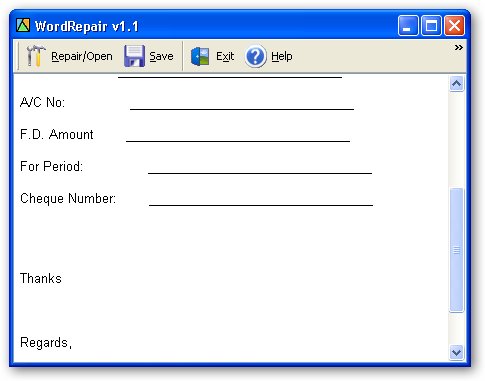
"Repair My Word" lets you repair Microsoft Word 6.0, Word 95, 97, 2000, XP, and 2003 on Windows, the software is pretty simple to use. Just open the corrupt Word file, preview the recoverable text in the preview window and save this text to a new error free Word file.
Comments
In this situation i usually
In this situation i usually use this tool-how to repair corrupted word file,because tool has many features and it is free as how as i remember,program effectively recover the text information from corrupted Microsoft Word documents and templates,can work with text files of various formats: Microsoft Word documents and templates of various versions (.doc, .docx, .dot, .dotx files) and Rich Text documents (.rtf files),recover information from corrupted Microsoft Word documents and templates located on corrupted media (floppy disks, CDs, DVDs, Zip drives, etc.),Export the recovered information both to Microsoft Word and to a plain text file.compatible with Windows 2000, Windows XP, Windows XP SP2, Windows 2003, Windows Vista.
repairmyword
I'm very happy to have this super convenient tool which is just for free. I didn't have to wait around for an installation disk because I was able to download repairmyword tool without difficulty. What I so much like about it is that it enables me to view the contents of an inaccessible Word file, and even enable me to copy and paste such information into a new file, ready to be saved. And the best thing above all is that you don't have to pay a single cent for this excellent program.
I tried to open the document
I tried to open the document in notepad so that I can copy the data but I failed. I even tried Open and Repair but got same error message. Then my friend suggested me to use MS Word Rcovery and recover the corrupt, damaged or inaccessible Word documents of any formats like DOC, DOCX, DOCM, DOTX and DOTM.
Add new comment