Free Subscription via Email:

Android For Pc

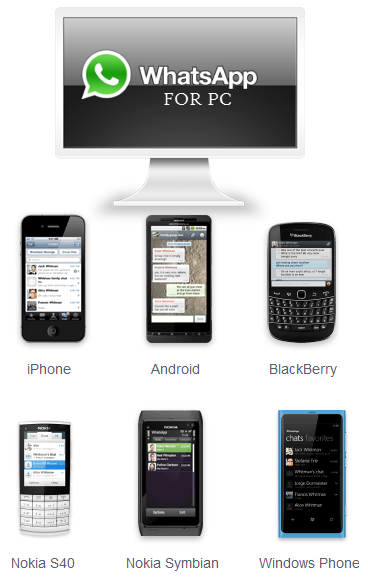
Installing WhatsApp On Windows Computer

The super popular free messaging service WhatsApp recently updated their application on Apple iOS platform seizing support for all iOS version older then v 4.3; Users on older Apple hardware are stuck with no option, but to leave the WhatsApp community as the application simply refuses to work on old iOS version.

A possible trick to be a part of WhatsApp community is to use the application on your Windows computer with comfort of your keyboard and mouse. Here is how you can install and use WhatsApp on a Windows computer.

WhatsApp Applications

SocketQ Goes Beyond BlueStacks, Lets Android 4.0 Run Natively On PC

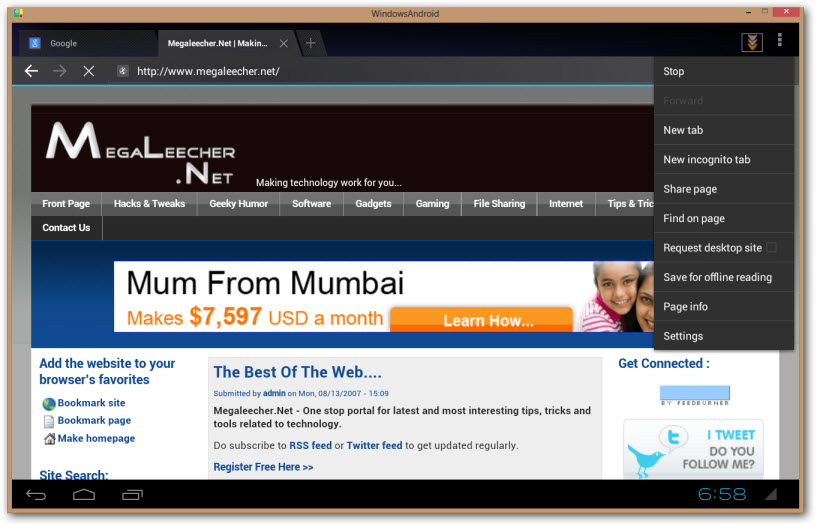
BlueStacks would be the most widely known emulator for running Android on Windows PC, and now there is a new entry to this niche named SocketQ's WindowsAndroid. However, there is a HUGE difference between the two - unlike BlueStacks which uses a virtual environment to host Android in Windows environment, SocketQ's WindowsAndroid is a full native port of Android to MS Windows architecture.

Running Android as an native Windows application allow Android to make use of full hardware and
graphics acceleration with high performance media codecs available to Windows PC. This not only offers higher performance but also integration with Windows’ applications like Flash, Windows Media Player, etc. Do checkout the demonstration video below.

Windows Android

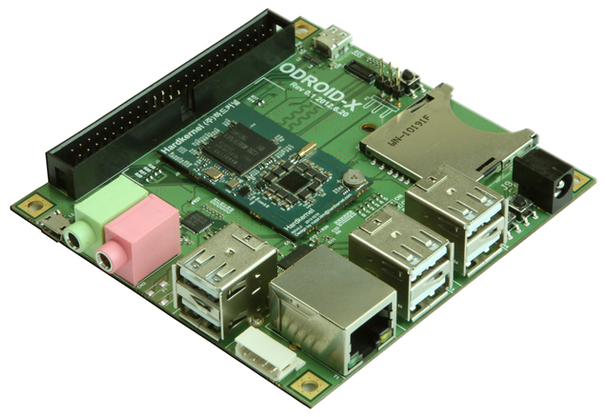
ODROID-X - Powerful Android development board with hardware specs similar to Samsung Galaxy S3 for $129

Portable computing units are in-vogue and the latest to join the bunch is ODROID-X, a powerful computing unit with PC like performance powered by an ARM Cortex-A9 Quad Core and 1 GB 800 Mhz DDR RAM.

ODROID-X is aimed mainly at android developers and comes with an impressive hardware spec-sheet similar to "Samsung Galaxy SIII", i.e. a 1.4 Ghz quad-core Samsung Exynos 4412 processor, 1GB RAM, Mali-400 GPU, on-board Android 4.0.4 ICS (also supports Ubuntu 12.04), 6 USB 2.0 ports, micro USB port, micro HDMI port with full-hd 1080p video output, standard 3.5mm headphone and microphone jack, 50pin IO expansion port, 100 Mbps Ethernet port and an SD card slot for storage. The best part the board is available (from end of this month) for $129 with free worldwide shipping.

ODROID

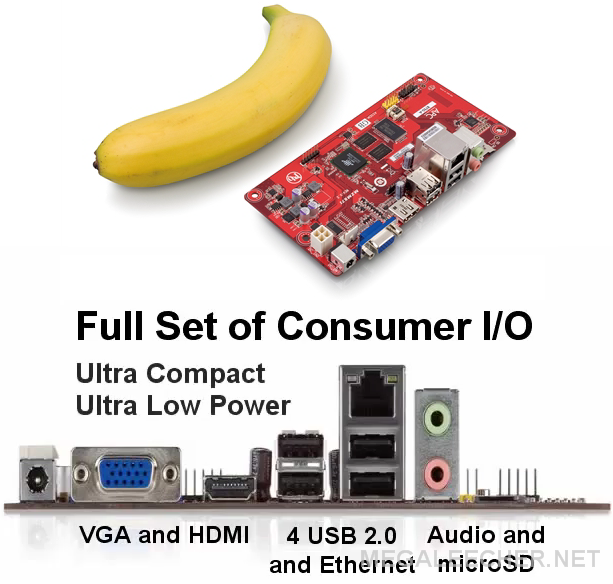
VIA APC 8750 - Mini Android Based Computer System For $49

Be it the "Cotton Candy", ultra low-cost "Raspberry Pi" or the Intel Next Unit Of Computing (NUC) device, the concept of low-cost, portable, pluggable computers is definitely in-vogue.

The latest to join the party is APC $49 android powered mini-computer, powered by an 800MHz (VIA WonderMedia ARM 11 SoC) processor, 512MB DDR3 memory, 2GB on-board NAND Flash, support for graphic resolutions up to 720p, HDMI, VGA, 4 x USB, audio out / in, microSD and Ethernet. The computer will be featuring an custom version of Android 2.3 optimized for mouse and keyboard input, the board which is compatible with Mini-ITX and MacroATX form factors will be able to connect to any external display device via VGA/HDMI port for a fully functional desktop PC experience.

Cheap APC Via Micro Android PC

High resolution, real-life usage images and pictures of "APC 8750" in action are posted below.
BlueStacks - A Free Utility To Run Android Applications On Windows PC

BlueStacks LogoThe application eco-system of Google's mobile operating-system Android is increasing by leaps-and-bound everyday, to take advantage of this ever-increasing application base virtualization on platforms like Windows OS is already getting attention. To get things moving forward on the front, a new software application for Windows platform BlueStacks is out now enabling users to run android applications on Windows computers.

Android Apps On Windows

BlueStacks allows users to run Android OS apps on Windows PCs with instant switching between the two. BlueStacks helps PC manufacturers to ride the Android momentum by enabling Android apps on x86-based tablets, netbooks, notebooks, convertibles and AiO Windows PCs. With the new hybrid convertible form factors, BlueStacks completely eliminates the need to carry two devices. The end consumer benefits from getting both Android and Windows at the price of a single PC.

Syndicate content
This is just one of the many helpful tips we have posted, You can find more stories here,
Do subscribe to updates using your favorite RSS feed reader or using the secure FeedBurner email update form on top of this post.