Boot From A USB Flash Drive
Download Microsoft Standalone System Sweeper For Cleaning Malware Infected PC's Even When Unbootable
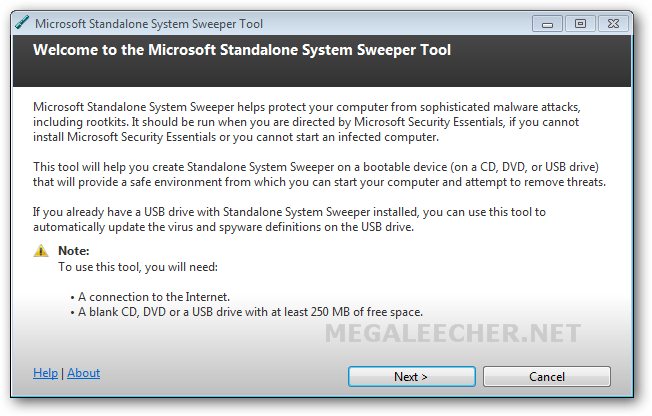
Submitted by admin on Thu, 06/02/2011 - 12:32Malware infections can sometimes block anti-malware utilities or even make the computer unbootable, Microsoft has now came up with a free "Standalone System Sweeper" utility enabling users to get rid of those nasty infections allowing them to perform offline scans to remove viruses, trojans and rootkits effectively.
Microsoft Standalone System Sweeper allows users to download latest definitions and make a bootable CD, DVD, or USB stick which when booted from loads the Windows Preinstall Environment (Windows PE) to run the scan and clean infections.
- 2 comments
- Read more
- 5664 reads
Free Utility To Make Your USB Pen Drive Bootable
Submitted by admin on Mon, 07/14/2008 - 08:31- Boot Disk
- Boot From A USB Flash Drive
- Boot From USB
- Boot ISO USB
- Boot To USB
- Boot USB Flash
- Boot USB Key
- Boot With USB
- Bootable
- Bootable Flash Drive
- Bootable USB
- Bootable USB
- Bootable USB Flash
- Bootable USB Key
- Create Bootable USB
- Create USB Boot
- FlashBoot
- How To Boot From USB
- How To Create Bootable USB
- Hp USB Boot
- Hp USB Boot Utility
- Linux USB Boot
- Make Bootable USB
- Pendrive Bootable
- USB 2.0 Flash Memory
- USB Boot Utility
- USB Boot Windows
- USB Flash Driver
If you are an fairly advanced computer user, at times you may need to boot from devices other then the default hard-disk, mainly to troubleshoot virus infections and other critical operating-system related issues, I had shared tips on how to make bootable cd for performing advance system tasks on windows. Today I will share few utilities enabling you to create bootable USB pen drives with ease, you need to have Motherboard/BIOS with USB boot support for this to work.
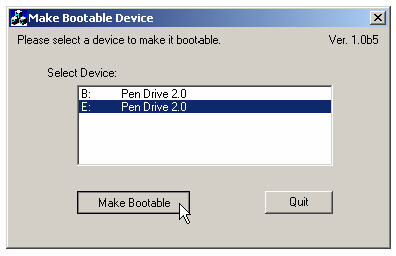
MakeBootable is an free and simple-to-use utility to make your Pen Drive act as a boot-up disk without erasing any data on the device. It consists of a single executable file and requires no installation, However the utility will only work on USB device's using Phison’s chip solution and FAT file-system only (you can re-format your drives to FAT easily).
- 124 comments
- Read more
- 1274342 reads