Like This Post, Get Updates By Email:

Enter your email address:

Delivered by : FeedBurner

secret window xp tip trick

Windows XP Task Manager Tips

Windows XP Task Manager (CTRL+SHIFT+ESC) has a not so widely known "no titlebar" view mode just double-click on the empty area on the right side of the tabs. Once it has switched views, you can switch back quickly by double-clicking anywhere on the border.
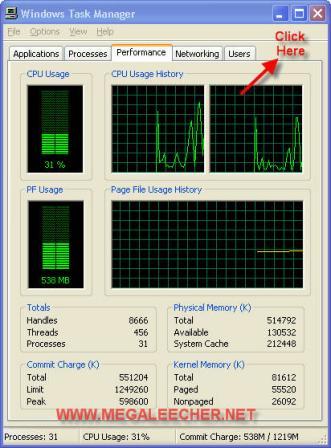

Show Windows Xp Task manager

Switch to the Performance tab before activating this border-less mode and you will have a nice and simple CPU monitoring desktop widget without using any third-party application.

CPU Desktop Widget

Also, most of the task manager users are unaware of the minimize to system tray option, just check the "Minimize On use" option from the options menu and whenever you minimize the Task Manager it will neatly sit into the system tray area and show you current CPU Usage.

Syndicate content

This is just one of the many helpful tips we have posted, You can find more stories here,
Do subscribe to updates using your favorite RSS feed reader or using the secure FeedBurner email update form on top of this post.