Submitted by Deepesh Agarwal on Sun, 01/27/2008 - 04:57
 "Stop AutoPlay" is a free firefox extension to block annoying autoplay media on webpages like background sounds and auto-start movies, Stop Autoplay will stop the auto-loading media and allow you to control whether to play it or not.

To block the autoplay of the embedded media, you have two modes to choose:
- Disable only the autoplay of the embedded media. In this case, the media file will still be loaded and embedded when page is loading. Press the Play button of the controller when you want.
- Block the media when loading a page. It will be replaced by a red frame with a play button in the center. Click in the red frame to load and then play it.
It is advised not to use this extension with Flashblock extension for Firefox.
 gOS is a small & efficient operating system based on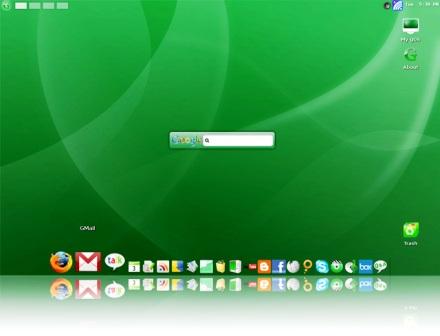
 There exist several MP3 search engines but SeekMP3 stands out from rest being a clutter free, easy to use fast MP3 search engine, simply type-in the artist, band or track name to search and SeekMP3 will list the results with links to listen or download the song.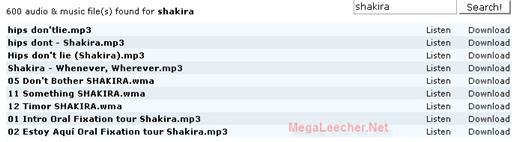


 Apple announced firmware update for iPhone to version 1.1.3, the new firmware update will enable new features on your iPhone as follows: