Submitted by Deepesh Agarwal on Tue, 07/14/2009 - 14:57
 If you are looking for a free VPN service with decent speeds give PacetiX.NET a try, the free non-commercial academic version of the service is completely free to use and provides very good browsing speeds via server cluster based in Japan.
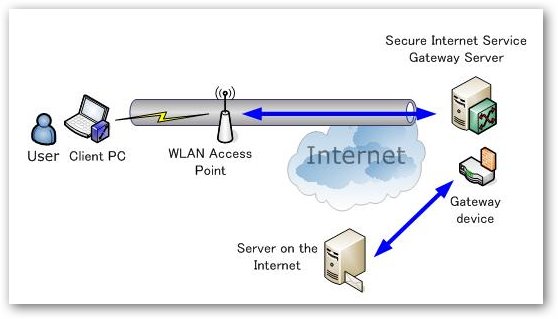
Unlike many other VPN services PacetiX.NET offers their own custom VPN client software which is without a doubt one of the easiest to setup and use.
Follow the steps below to download and setup free PacetiX.NET VPN service :
- Download and install the vpn client software - Windows 32 Bit or 64 Bit.
- Download auto-configuration file.
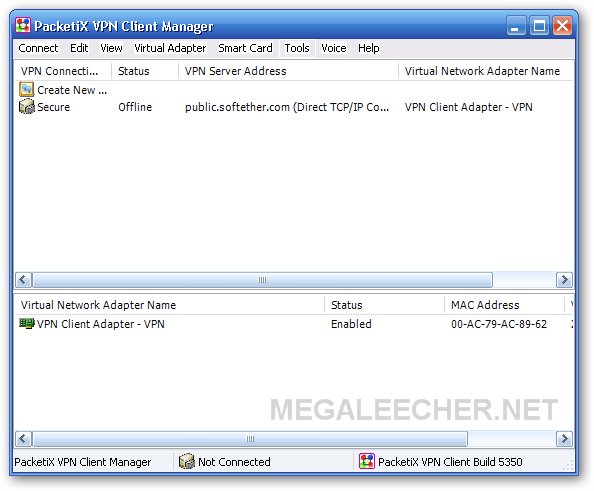
- Launch PacetiX.NET VPN Client Software.
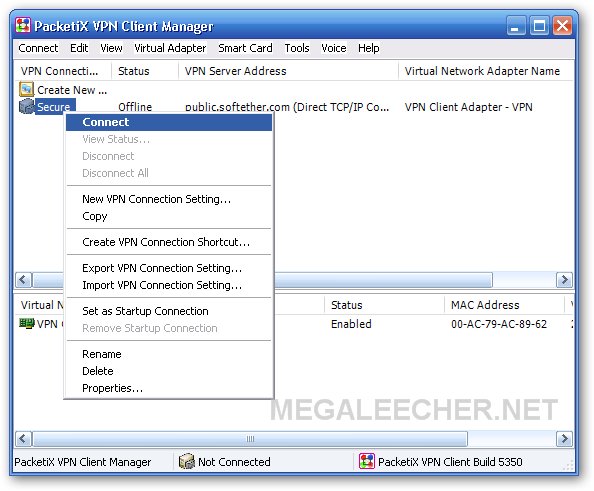
- Right-click create new VPN connection and select Import VPN Connection Setting, now browse and select the auto-config file downloaded in step 2.
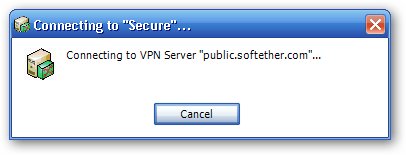
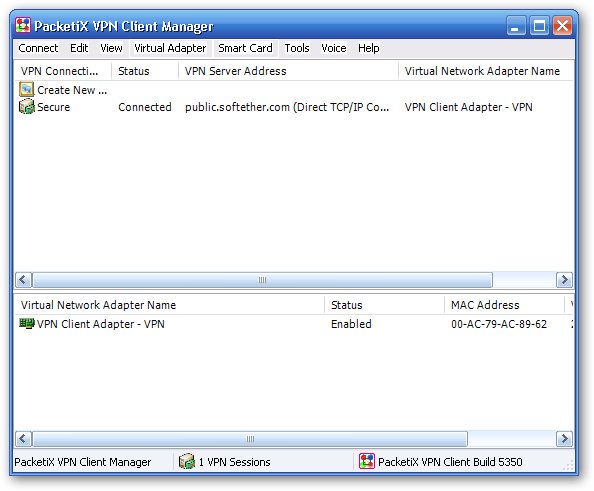
- A new connection named Secure will appear, right-click it and select Connect the connection procedure will start.
- You should now be connected.
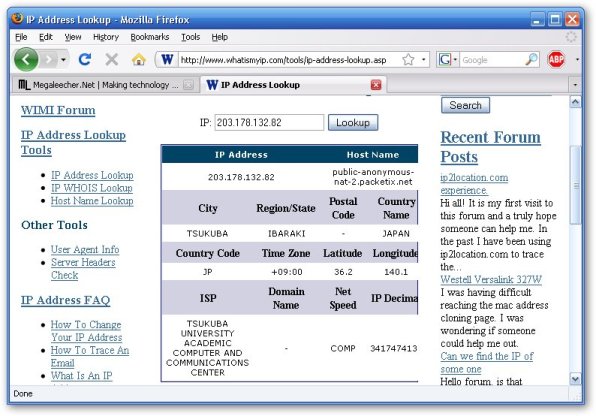
- Your IP should be now from Japan.
- Enjoy secure anonymous browsing.
Comments
hye
it say network cable unplugged
how to plug it????
Netwrok cable
Start the TAP network adaptor from your Network connections accessible from Control Panel.
Doest work
The VNC adapter connects fine, but my ip address doesn't change.
PacetiX.NET
Yeah my ip address doesn't change too...!!????
Thanks
Thanks it really work i am connected to it right now and i am from the USA
thanks
Thanks it really work i am connected to it right now and i am from the USA
thanks....but
fine.........works for me...............but speed is terrible!!
hmmm
so what if i want to have an IP address from USA? (i wanna watch HULU.. :( )
Where its download link?
Its good but Where its download link?
Link
press on the windows 32 or the one next to it
that's amazing work...don't
that's amazing work...don't try it at home = = but it works fine at the office...so i'd try it at home tonight XD
Not working
Hi followed instructions got it all right,it does show me connected but when opening browser nothing is loading!!
Working Coy
Working but still slow slow aje tuh...
Ip jg oke tuh
Mantap bro...thks
Packetix is SPYWARE
This is NOT SAFE! When you try to connect it warns you that they keep logs and track everything you do! So using this VPN is worse that not using anything at all.
Because the VPN itself is a SPY-WARE tool!
You're right
you're on the Internet anyways. So your Internet provider is also keeping logs on you. Plus now I'm watching you.
You're screwed buddy, turn off the computer and go back to the television. =)
You can make one of those tinfoil hats too in case you think aliens are reading our brainwaves. That actually might work. I got a few strange emails requesting I take my hat off, so now I wear it everywhere. Except in the shower.
can't import vpn connection
Right-click create new VPN connection and select Import VPN Connection Setting, now browse and select the auto-config file downloaded in step 2.
But whenever i try to download auto config file it opens in new tab so i can't import vpn connection setting,does anyone also have same problem?hope some of u guys can help me,thanks!
The connection is set up
The connection is set up ..
and even the order of adaptors is set right (packetiX at top) ..
but the ip is still the old one AND network center says "local only" .. instead like the router connection "local and internet"
anyone got an idea/solution?
Lambat...the speed id too
Lambat...the speed id too slow,,, WHy??? but lumayanlah...kan namanya juga gratisaaan...
ajiip...
thanks...to increase speed use fullspeed+speed gear...
Thanks, it really works,
Thanks, it really works,
My IP address doesn't change
My IP address doesn't change !
ActiveX was necessary ?
Firefox not compatible ?
very very tanx
i life in iran and i and other people need the vpn
it is very very gooo0000000000000000000d
whats is the virtual hub namame????????
whats is the virtual hub name????????
virtual hub name is whats????
good ....
good ....
Thanks amillion
Hey dude, it's wonderful. Thank you so much for helping people around the world to get connected. Thank you so much.
thanks
I'm downloading your files.
Thank you very much.
hi
it's spyware.dont download it.it's a badware!!!!!!!!!!!!!!!!!!!!!!!!!be aware!!!!!!!!!!!!
it works but speed is much
it works but speed is much more than terrible!!!!
please make it a little faster.thanx
hey
thnx for the vpn , make it free for ever and supports torrents :)
Free Canada VPN
New free VPN, Canada IP, Great speed
PacketiX VPN (vpnclient) account
provide Free PacketiX VPN (vpnclient) account For me please thank you
Ip Address Or Host: ? & Port: ?
Username: ?
Password: ?
connection problem
how to connect vpn in windows 8 ....its not working in windows 8, can anyone help?????????????
This is great chance to get free vpn server
This is great idea to start vpn service. Here i got vpn software and installment instruction. So now i am starting security access for my internet.
Add new comment