Direct Folders is yet another excellent free software from CodeSector, developers of fast file-copier TeraCopy, The small utility makes use of unused "double-click on empty space" action to pop-up an extensive, useful menu for quick and direct access to your favorite folders and applications directly from Desktop, Explorer or File Open/Save dialog box.
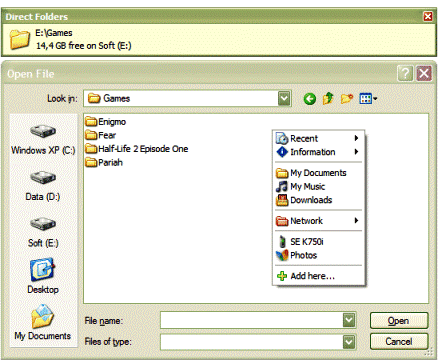
Direct Folders also allows you to automatically resize every standard file open/save dialog, letting you find what you looking for without much scrolling, another such useful feature is its ability to automatically switch the folder views of open dialogs to thumbnails, list or details depending on the application you are working with for example the application can be configured to automatically switch to Thumbnail view if you are working in Photoshop and to details view if working in Notepad, You can even select the preference of file sort order to be the default as well.

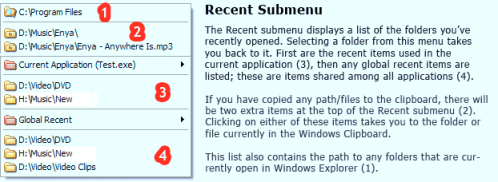
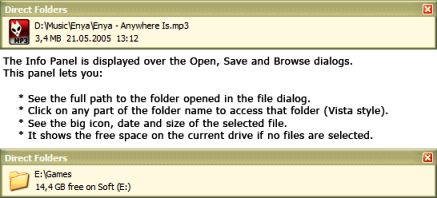
The Pro Paid Version of the software have additional features like:
- Info Panel : shows the full path, big icon, date and size of the selected file above each open/save dialog box.
- Informational sub-menu to check drive's free space.
- Option to set default folder for any application.
- Rebound to the last used file in that folder.
- Customize folders icons in Direct Folders menu.
Comments
Nice software..
Thanks for sharing.
WOW
GOOD > THANKS
Add new comment